| Getting started with Microsoft ISA Server 2006, Part II: Configure Network Topology |
Network Topology
From Part I, you have finished install ISA Server 2006. Before using the server, you need to do some configurations first. On Getting Started with ISA Server 2006 page on ISA Server Management, there are 5 steps for set up ISA Server as the figure below.

To use ISA Server, only first 2 steps on the figure above are needed to be configured so this part will shows how to configure Network Topology on ISA Server which is the first step in the figure above. For the second step, I will cover in the next part(part III). Also, you need to enable client to access ISA Server by configure on clients,too. Client Configuration will be covered in part IV.
ISA Server 2006 comes with many defined templates. Here are some details of each template. You can select one of them that match your network.
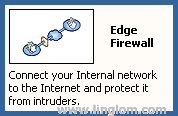
- Edge Firewall
This is a standard network topology for small to medium organization. The ISA Server is a main gateway controlling traffic between intranet and internet. The ISA Server needs 2 network interfaces.
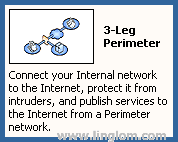
- 3-Leg Perimeter
This is a standard network topology for medium to large organization. There are another network which is Perimeter network adding to ISA server compare to edge firewall. The perimeter network or DMZ (Demilitarized Zone) is a network that is less secure for serving Web server, E-Mail server, DNS server,etc so that internet users can access these services without access to internal network. The ISA Server needs 3 network interfaces.
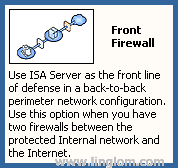
- Front Firewall
This is a network topology for organization that security is high priority. In this case, there are more than 1 firewall server. When hacker attacks the server and one fails, there is still back firewall to protect your internal network. This template, ISA Server will be act as front firewall server between internet and perimeter network and needs 2 network interfaces.
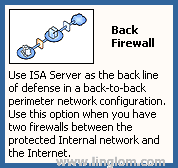
- Back Firewall
This is a network topology for organization that security is high priority. The configuration is the same as in Front Firewall template except that the ISA Server that you’re configuring is the back firewall that serperate internal and perimeter network.This template, ISA Server needs 2 network interfaces.
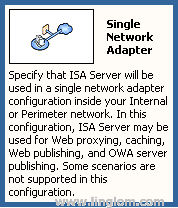
- Single Network Adapter
This is a network topology for ISA Server to be act as Proxy server only. ISA Server can do caching to improve performance for users using Internet in organization. This template, ISA Server requires only a single network interface as the name of the template.
Note: For Front and Back Firewall templates, you have more than one firewall servers. It is best practice that you should use different firewall software or using hardware firewall with software firewall not the same on front and back. If hacker can destroy the front firewall, you still have back firewall which the hacker can’t use the previous technique to attack the firewall.
Step-by-step
This example will configure ISA Server 2006 using Edge Firewall template.
- Open ISA Server Management.
- On left window, expand Configuration and select Networks
- On right window, select Templates tab.
- Click on Edge Firewall template. Network Template Wizard window appears.

- Click Next.

- You can export your configurations before let the wizard overwrite the old one by click on Export button. Otherwise, click Next.

- On Internal Network IP Addresses, you can configure your internel network IP Address. If the existing value is correct, click Next.

- On Select a Firewall Policy, you can select firewall policy template. The description will display what will be configure on ISA Server. I select “Block all” to block all traffic between ISA Server. I will configure rules later in the the next part.

- Click Finish to complete the wizard.

- To make ISA Server takes effect, click on Apply.
Related post
- Getting started with Microsoft ISA Server 2006, Part I: Installation
- Home
- Getting started with Microsoft ISA Server 2006, Part III: Create Firewall Policy Rule
- Getting started with Microsoft ISA Server 2006, Part V: Configure HTTP Filter
- Getting started with Microsoft ISA Server 2006, Part IV: Configure Client Type


March 26th, 2008 at 5:29 pm
Nipawit,
Your step by step installation is very helpful. Can you tell me any consideration for setting up ISA on single network adapter type. Any specific configuration or policy need to set ?
Thx,
BW
March 28th, 2008 at 9:03 am
I haven’t use this template before. This template, ISA Server will only function as a cache server.
I recommend you to read this for more detail about the template.
Single Network Adapter network template
July 29th, 2008 at 3:13 pm
Dear Linglom.com Team,
your web site is so nice and informatics that i never seen before it. Keep it up it really nice work you people have done.
thanks
Qazzafi,
System and Network Administrator,
Govt. of Punjab, Pakistan.
September 17th, 2008 at 12:11 am
I’m having trouble choosing from one of templates have given by isa server 2006.
I’ve 2 servers and 1 firewall.
My 1st server is the PDC server running on w2k3 std. My 2nd server is the Proxy-Server that i’m willing to deploy the ISA Server 2006.
Any template / isa-configuration suggestion ?
September 17th, 2008 at 9:27 am
Hi, Karsanto
If you want ISA to be only a proxy server, you can use Single Network Adapter template which makes ISA Server as a proxy server. This template requires only a single network card on ISA Server.
You’ve told me that you already have a firewall and you want to install another firewall (ISA Server). If you want to have perimeter network (DMZ zone), you can select between Front or Back firewall template which depends on where you want to place the ISA Server. Both templates require 2 network cards on ISA Server.
Or you can 3-Leg perimeter template which is less secure because it has only a firewall. This template requires 3 network cards on ISA Server.
October 8th, 2008 at 11:28 pm
Hello,
Thanks a lot for putting together this great HOWTO. I love it.
That said, I’m in the process of installing ISA Server 2006 and I need some guidance to put a solid foundation in place prior to moving forward. I have pick my topology and it will be a back firewall. In other words, it’s going to be a We already have a SonicWall Pro 4060 acting as our gateway/firewall and would like to put the ISA Server behind as a second line of defense. The ISA Server will then be connected to a gibabit switch with holds our LAN. Now, we are also planning to add a SonicWall SSL VPN 2000 in the topology for remote access so that telecommuters, remote users can access some resources like OWA, EAS, IM, MOSS,…without getting inside our network. What would be the best place to place the SSL VPN device? We are planning to plug it in one of the ports of the SonicWall Pro 4060 and then connect a VMWare box hosting different servers to it. Has anybody have to deal with such network configuration before? What can be the best practice to reduce the attack surface and offer resources to our users? we would like to make the configuration as simple as possible but secure to avoid troubles down the road.
Thanks for your feedbacks.
Armel -
October 10th, 2008 at 3:11 pm
Hi, Amel
It’s better if you have 2-level firewall than a single firewall. By having front and back firewall, when the system is attacked and the front firewall is compromised. You still have a back firewall which is protecting your private network and that can give you more time to investigate and fix the problem. But about VPN, I have no idea since I have never used it.
October 10th, 2008 at 8:26 pm
Hi Linglom,
Thanks for your input. I appreciate that.
I have found a way to place my SonicWall SSL VPN 2000 in the topology. The recommendation from SonicWall ( one of the placement scenario) is to place it in the DMZ. So, I’m going with that option.
Once again, thank you and keep up the good work !
Armel
October 10th, 2008 at 10:35 pm
Hi Linglom!
It’s me again. Based on my network topology, how can I enter persistent routes in my routing table using the route -p add command? Here is a rough diagram of my network:
Internet
|
SonicWall Firewall
192.168.3.1
|
|
|
192.168.3.2 (WAN NIC of ISA Server)
ISA Server 2006
10.0.0.65 ( LAN NIC of ISA Server)
|
|
|
|
Office LAN
(10.0.0.0/16)
Do you think
route -p add 10.0.0.0 mask 255.255.0.0 10.0.0.65
Would do it? I think that would allow all traffic coming from my LAN to be pass to the Internal NIC (10.0.0.65) of the ISA which will push it out to the External interface (192.168.3.2) which has a default gateway of (192.168.3.1) and will get to the SonicWall firewall.
What do you think?
Thanks for any feedback.
Armel
October 11th, 2008 at 10:42 pm
You don’t have to configure routing table on clients. ISA Server has 3 types of clients: SecureNAT client, Firewall client and Web Proxy client. For more detail, see Getting started with Microsoft ISA Server 2006, Part IV: Configure Client Type.
You have to configure clients to be one of these types. For example, if you using Firewall client type, all traffic from client’s browser will be sent to ISA Server.