Getting started with Microsoft ISA Server 2006, Part III: Create Firewall Policy Rule
ISA, Security, Windows January 7th, 2008Firewall Policy
From part II, you have configured Network Topology. Now you need to create a policy rule to allow traffic pass through the ISA Server.
By default, ISA Server is configured with default rule which blocks all traffics pass through ISA Server. But you can customize rules to match your policy in organization. On each rule, you can customize to allow or deny access, protocols, source and destination addresses, users (ISA Server can integrated with Active Directory), time to use the rule, content types.
The series are divided into 5 parts:
- Getting started with Microsoft ISA Server 2006, Part I: Installation
- Getting started with Microsoft ISA Server 2006, Part II: Configure Network Topology
- Getting started with Microsoft ISA Server 2006, Part III: Create Firewall Policy Rule
- Getting started with Microsoft ISA Server 2006, Part IV: Configure Client Type
- Getting started with Microsoft ISA Server 2006, Part V: Configure HTTP Filter
Step-by-step
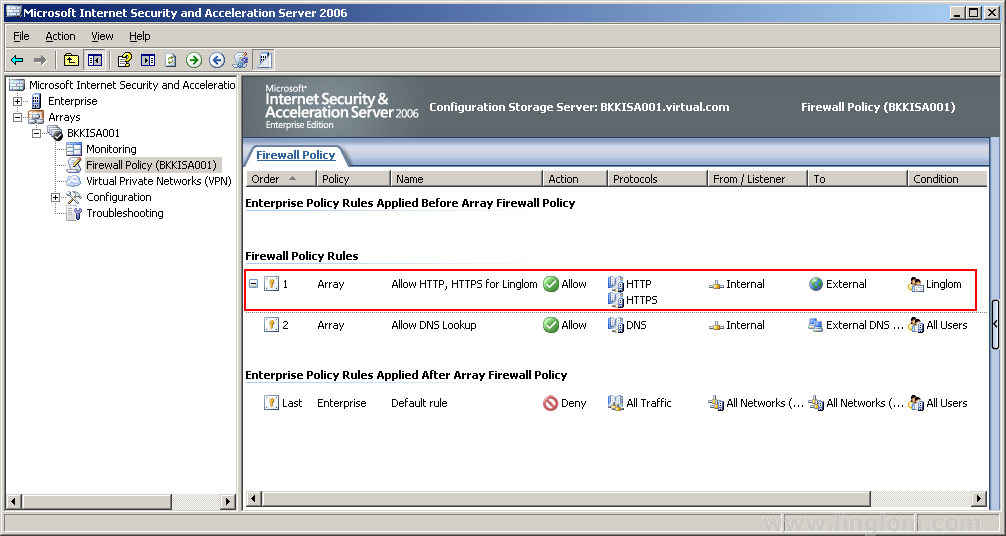
Next, I will create a new web access rule for all users in internal network to access internet(external network) with only HTTP (port 80) and HTTPS (port 443) protocols.
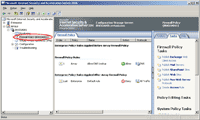
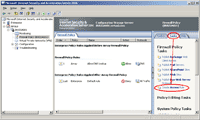
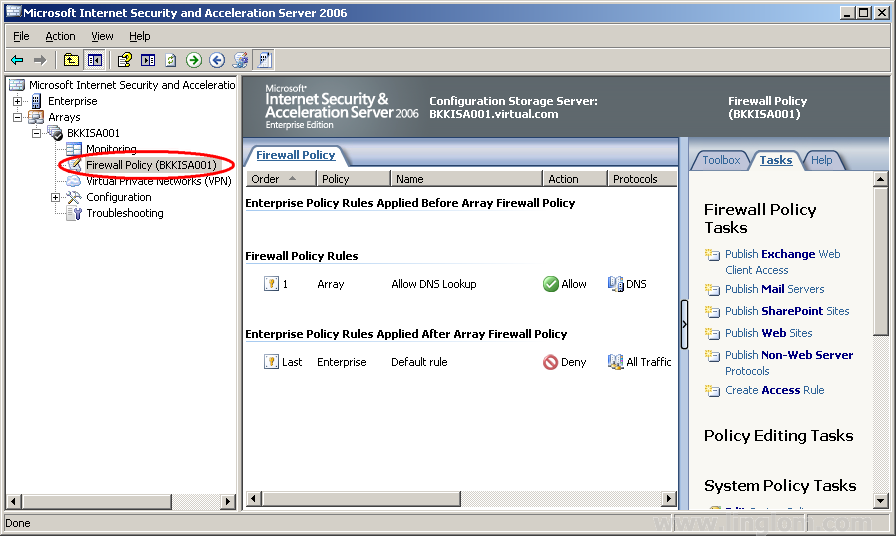
- Open ISA Server Management. Expand server name(in this example, BKKFRW001) -> Right click on Firewall Policy -> New -> Access Rule.

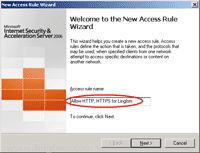
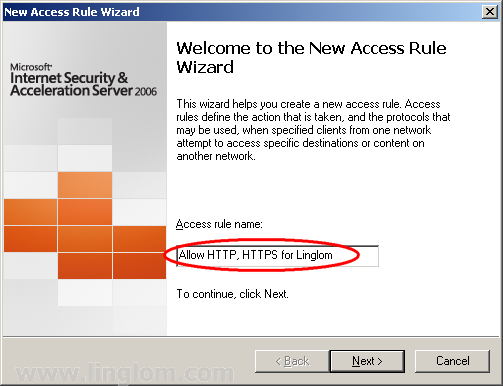
- New Access Rule Wizard appears, enter the name of access rule. Click Next.

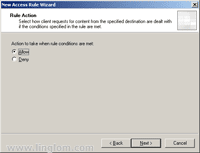
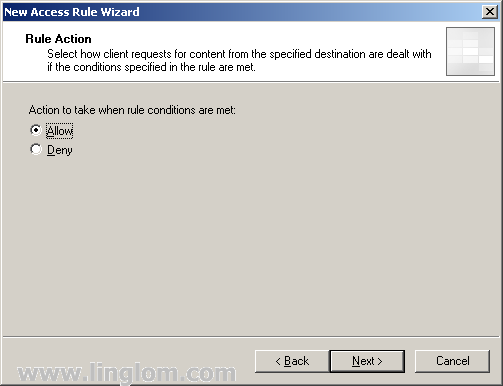
- On Rule Action, select Allow. Click Next.

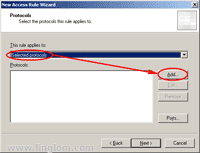
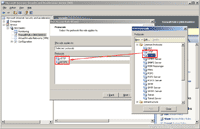
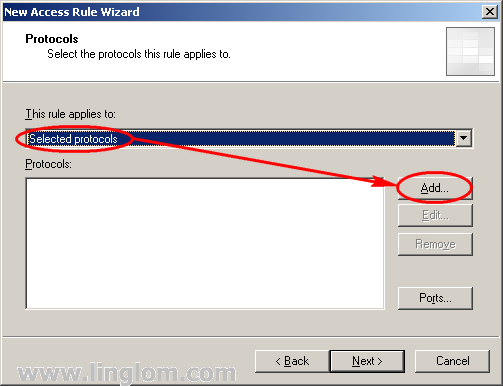
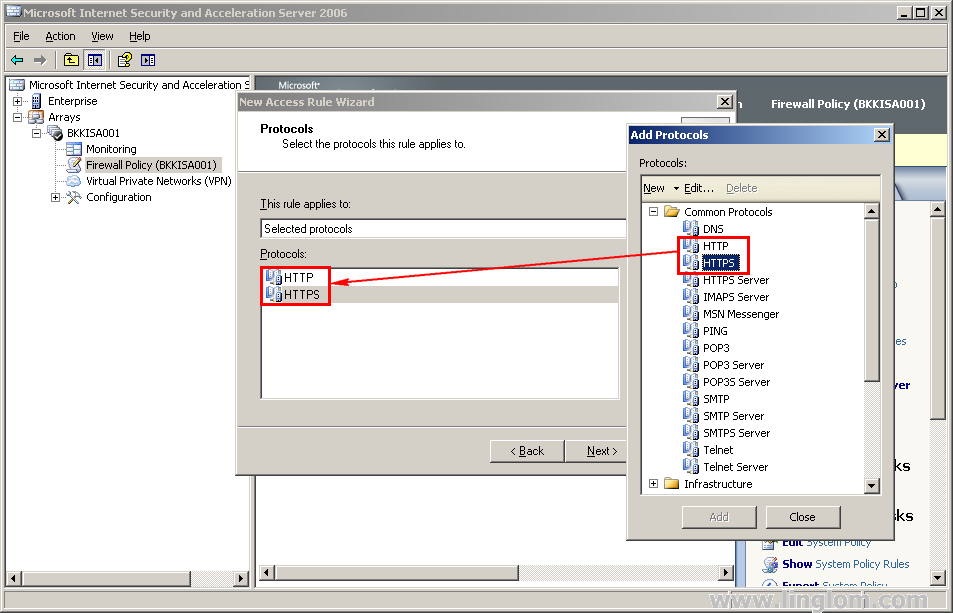
- On Protocols, click Add. Add Protocols window appears, expand Common protocols and select HTTP and HTTPS.

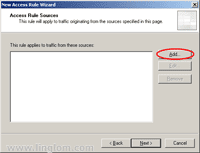
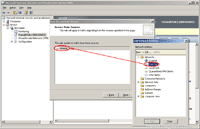
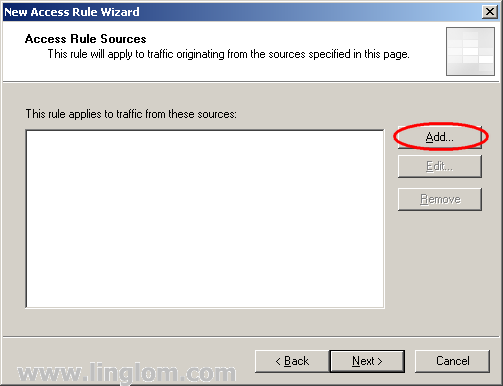
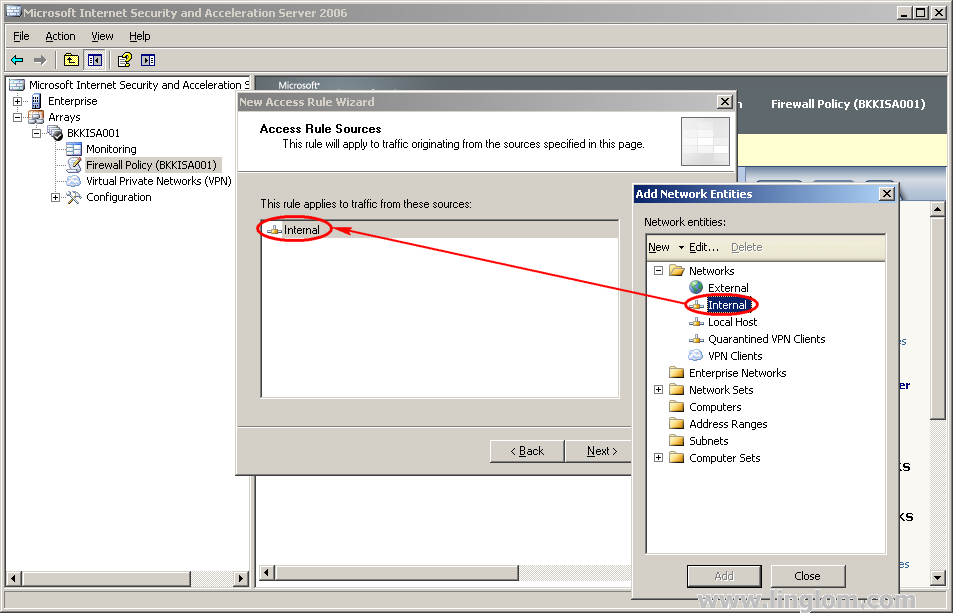
- On Access Rule Sources, click Add. Add Network Entities window appears, expand Networks and select Internal.

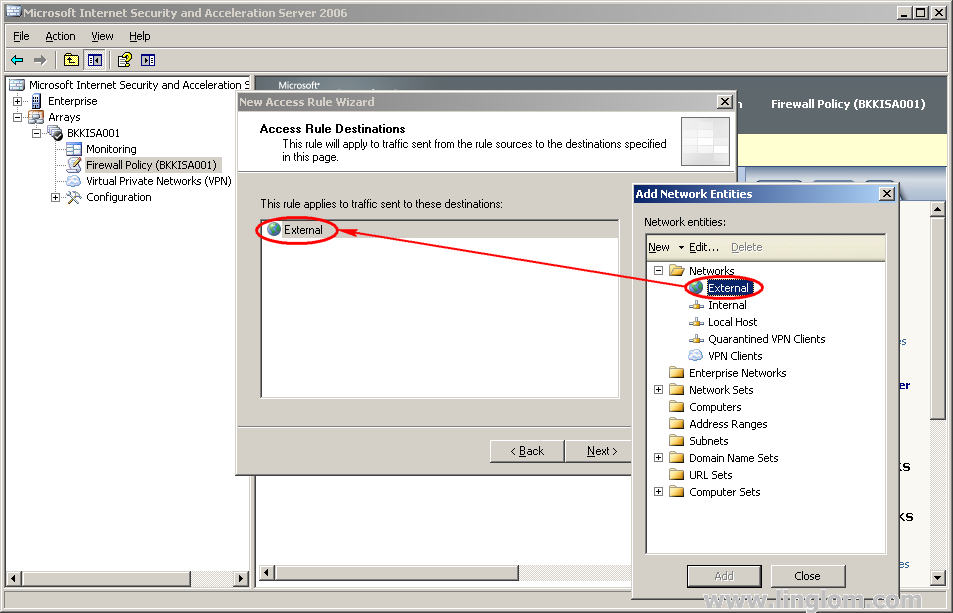
- On Access Rule Destinations, add External network.

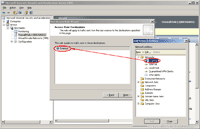
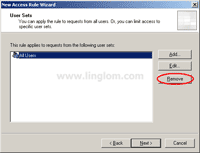
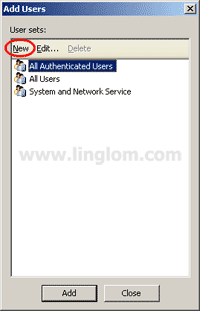
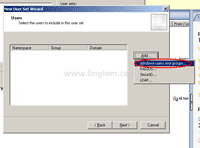
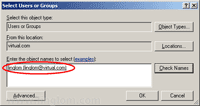
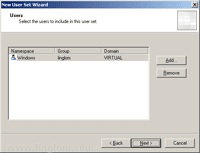
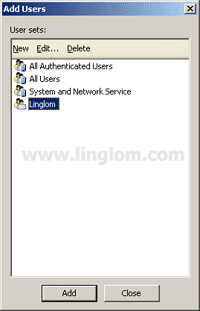
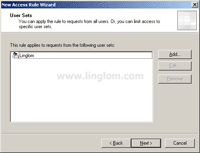
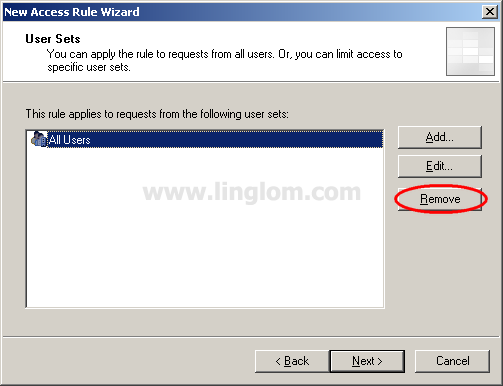
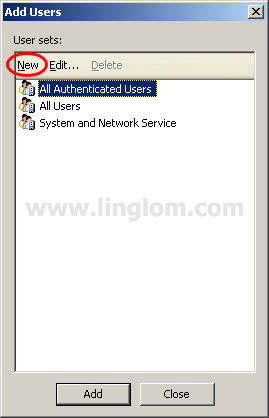
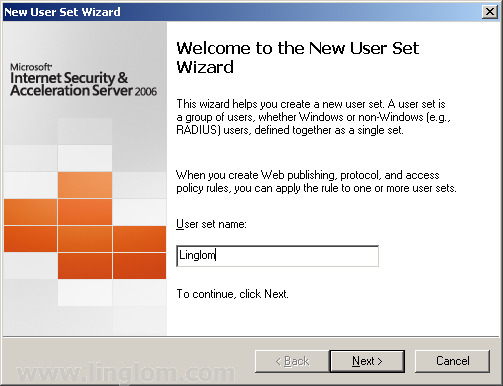
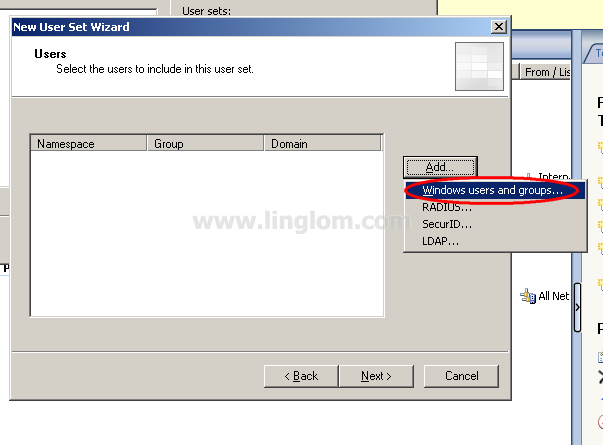
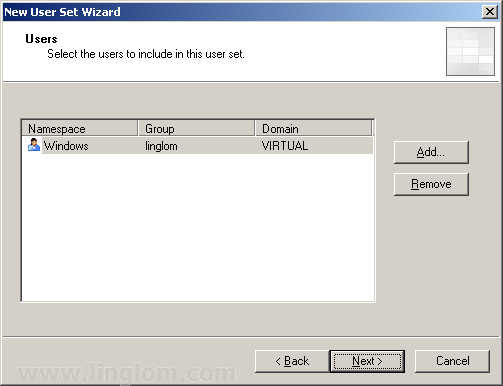
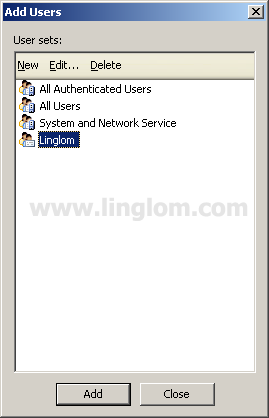
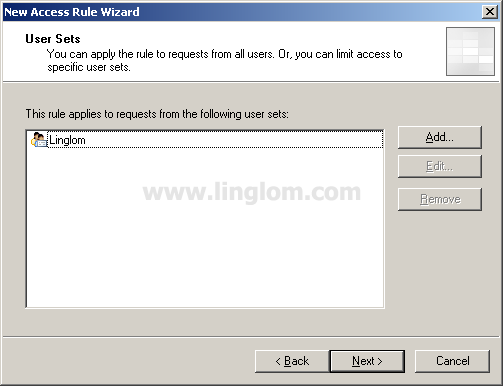
- On User Sets, leave All Users. Click Next.

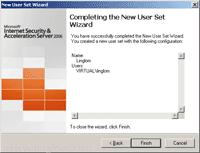
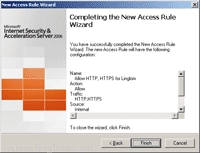
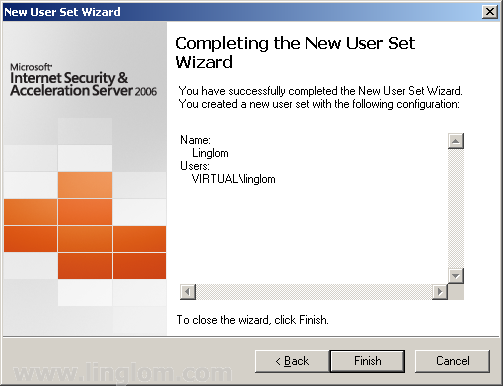
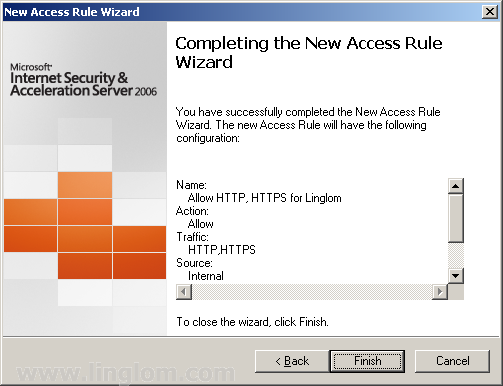
- Click Finish to complete create new rule.

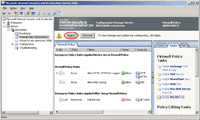
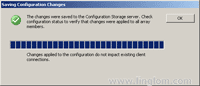
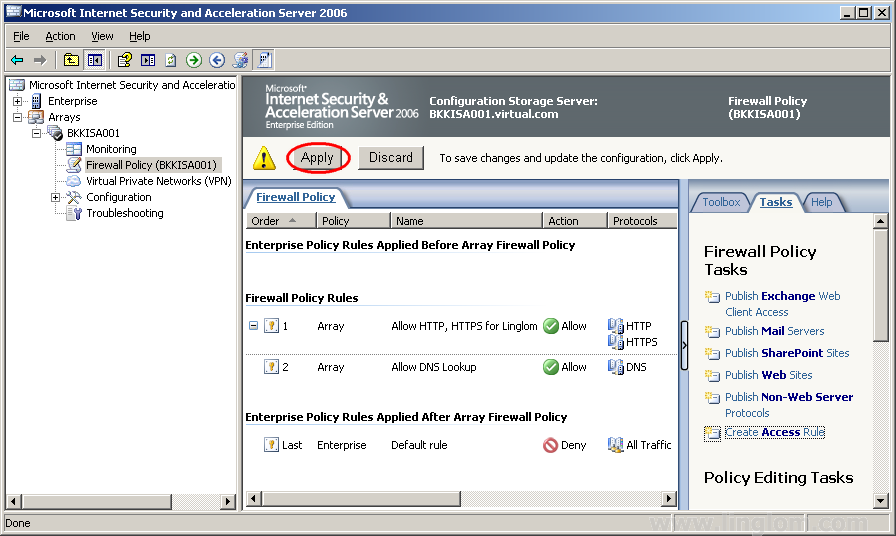
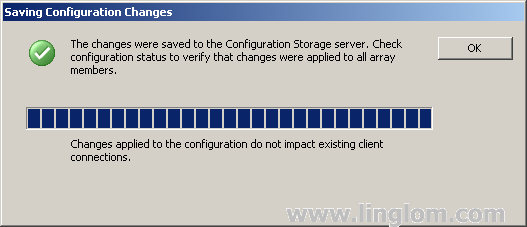
- Again, don’t forget to apply your setting on ISA Server to take effect. Click Apply.

- Next part will be about client configuration to access to ISA Server.
Related post
- Getting started with Microsoft ISA Server 2006, Part 8: Create Web Access Rule This article is one of the series of Getting started with Microsoft ISA Server 2006. You can see the index...
- Getting started with Microsoft ISA Server 2006, Part 7: Create DNS Lookup Rule This article is one of the series of Getting started with Microsoft ISA Server 2006. You can see the index...
- Getting started with Microsoft ISA Server 2006, Part 6: Configure Network Layout This article is one of the series of Getting started with Microsoft ISA Server 2006. You can see the index...
- Getting started with Microsoft ISA Server 2006, Part II: Configure Network Topology Network Topology From Part I, you have finished install ISA Server 2006. Before using the server, you need to do...
- Getting started with Microsoft ISA Server 2006, Part I: Installation Introduction Microsoft Internet Security & Acceleration Server 2006 is a firewall and proxy product from Microsoft. It can protects local...
Related posts:


July 29th, 2008 at 3:13 pm
Dear Linglom.com Team,
your web site is so nice and informatics that i never seen before it. Keep it up it really nice work you people have done.
thanks
Qazzafi,
System and Network Administrator,
Govt. of Punjab, Pakistan.
August 25th, 2008 at 11:44 am
Hi, You did a very nice guide for ISA Server.
May i ask you something?
I am new to use this ISA Server, running on ISA Server need to install or run any programs like SQL server or other software?
August 27th, 2008 at 3:27 pm
By default, ISA Server 2006 will automatically installed MSDE as a database system. You can change this configuration after installation.
Also, ISA Server 2006 must be installed on Windows Server 2003. For more information, see this reference: ISA Server 2006 System Requirements
If you’re new to ISA Server, you can try trial version at Internet Security and Acceleration (ISA) Server 2006 180-Day Trial Version
October 8th, 2008 at 4:55 pm
How can I configure ISA server via ssh cmd command line?
October 8th, 2008 at 4:56 pm
I’m only able to access the server via ssh right now that is why I’m asking
October 9th, 2008 at 4:46 am
Ambedo good question I think linglom is doing on a private network and people should take care when working on remote servers. Make sure to plan and setup this prior to put ISA on the server. Myself I used a vpn tunnel with rqs/rqc for remote install from a technet tutorial.
November 8th, 2008 at 7:58 pm
Dear Linglom;
Thanks for your useful info you are publshing and useful contribution.
I succeeded in installing the ISA server 2006 and to create a web access rule, and now internet is working fine for clients, note that client type I am using is Web proxy client. but when I came to outlook usage, I created POP3 and SMTP rules to allow, but still not working.
Then I changed my clinet type to firewall client and still not working,,so any one can help please?
also any way to use POP3 and SMTP on web proxy client without needs to firewall client?
regards;
November 9th, 2008 at 10:47 am
Hi, Waleedd
I think it depends on the mail server. Some use different protocols. For instance, Hotmail uses HTTP instaed of POP3 and SMTP. On Outlook, select Tools -> Accounts -> select Mail tab. You’ll see the existing list of mail accounts. Try double one and select the Servers tab, you’ll see what protocols it was configured to use.
Also, Outlook shares Internet Connection with Internet Explorer. So you don’t need to install firewall client if you have already configured proxy in the Internet Explorer.
November 10th, 2008 at 12:37 pm
Dear Linglom…
I’m new to the server configurations and your site is very useful to people like me.The screenshots with explanation is very much helpful.Thanks for the great site…Thanks a lot..
Ranjith.
November 10th, 2008 at 6:58 pm
Dear Linglom;
Thanks for your attention. I found it uses pop3 and SMTP. the strange thing is that the rule I create worked with outlook express and didn’t work with Microsoft office outlook ??!!! and also it worked when the firewall client existing, but when I removed it it didn’t work even for outlook express. further more it happened also for the messenger, that when I configured an allow rule for MSN messenger, it work only when the firewall client installed on the clients PC??? do you have any suggestions please?
Thanks for your help and support.
Waleedd;
November 10th, 2008 at 7:21 pm
To Waleedd,
You have to check that Microsoft office outlook has already configured to use the same protocols as outlook express or not. I never use it so you have to try by yourself.
About firewall client, have you re-configured the Internet Explorer proxy (web proxy client) after you uninstalled the firewall client? For MSN Messenger, you can troubleshoot it in Options -> Connection.
November 11th, 2008 at 1:04 am
Hi Linglom;
I am very appreciating your support and help;
I had found a solution for ISA and outlook probelm as a small setting you should allow in ISA management tool, below link is a forum @ isaserver.org describing the same problem and solution suggestions:
http://forums.isaserver.org/External_POP3_%26_SMTP/m_2002076137/tm.htm
and the below link is an article @ isaserver.org holds the solution for the problem:
http://www.isaserver.org/articles/2004olpop3smtp.html
Thanks again;
Waledd;
November 11th, 2008 at 6:44 am
We already have a firewall set up on our network – is it Possible to turn off the firewall on the isa server and just use it as a cash Proxy server. hat i am after is internet speed which I am getting but sometimes the isa is blocking web sights and is interupting classroom school time.
Thanks for your time
November 12th, 2008 at 9:09 pm
You can configure ISA Server as a proxy server by using Single Network Adapter Template. This template, ISA Server requires only a single network adapter and it may used for web proxy, caching, etc.
But I’ve never try this template. For more information about the template, see Configuring ISA Server 2004 on a Computer with a Single Network Adapter at TechNet – Microsoft.
December 24th, 2008 at 5:48 pm
You should add dns too cause clients otherwise can’t resolve to domain names. If not you can’t visit websites by name.
January 28th, 2009 at 4:25 pm
hi guys i have a problem now….i am able to connect to internet through isa, but only for 2 to 3 minutes internet is accessible, after that no internet access (even from isa) but interesting fact is that i can ping to google at that time from isa.
how can i solve this issue?
January 29th, 2009 at 9:07 am
Hi, Rockonn
What the display message when the Internet is not accessible? Also, check the ISA logging to see if the traffic is blocked or not.
February 24th, 2009 at 10:12 pm
Hi,
I have a problem like this ,we are using isa2006 as web proxy server and al are web proxy clients ,now ftp site are not loading or even through command prompt also we cant connect ftp servers.
please help me
sudhir
March 4th, 2009 at 8:56 am
Hi, Sudhir
Check rule that allow FTP protocol if it was configured correctly. Check ISA Server log to see if FTP traffic is blocked by ISA Server or not.
March 6th, 2009 at 9:26 pm
Hi,
Once again i am disturbing you,I am using Isa2006 as a webproxy server,and all users are connected as webproxy clints and all users are authenticated by Domain controller.I have created a rule allow all outbound traffic from internal to external with domain authenticated users.
And also for ftp and pop3 i have created two rules with all users
Now i can access ftp sites with anonymous access but the ftp sites which requires username and passowrd i cant access through webproxy client but works with firewall client.So pls help me
Thanks&Regards
Sudhir
May 23rd, 2009 at 6:33 pm
Hi i just wanted to find out ive got a ms server 2003 SP2 with isa server 2006 sp1 and i have a problem whenever i try to connect to a external pop3 or imap server like gmail from my internal network with outlook express or ms office outlook i get an error 0x800CCC0e connection to the server has failed i have allowed rules on isa server for pop3 and imap .In the isa server logging i can see the pop3 initiates on port 110 to the pop3 server and then directly after that it denies the pop3 server coming back to the internal network as unidentified traffic on a totaly different port sometimes the port differs from 50000 to say 52000 and pop3 works on the isa server machine just internal that it does not want to work any help would be apreciated
May 25th, 2009 at 10:04 pm
Hi, Sudhir
If you’re using web proxy, clients can’t upload to an FTP site. See the link below for more information and solution from Microsoft.
Troubleshooting Outbound FTP Access in ISA Server
May 25th, 2009 at 10:15 pm
Hi, Christo
Is this problem occur on gmail only?
It seems that gmail doesn’t use regular port to send/receive mail.
Try these port on the configuration.
Incoming mail (POP3 or IMAP) server: pop.gmail.com (port 995)
Outgoing e-mail server (SMTP) name: smtp.gmail.com (port 465)
Reference:
http://mail.google.com/support/bin/answer.py?answer=86383
May 26th, 2009 at 12:23 am
hi linglom its not only in gmail the ones ive tried are vodamail and gmail. vodamail with pop3 and gmail with imap
everytime it denies the traffic as unidentified traffic coming back from pop3 or imap server the port that it comes back on differs everytime .on the isa server itself it works fine
May 31st, 2009 at 10:41 am
Have you try to my suggestion on the comment above with gmail? Does it work?
July 21st, 2009 at 1:30 pm
I must appriciate your dedication in educating others!
Great!
September 30th, 2009 at 7:42 am
I have my ISA 2006 Firewall up and running, and almost all my programs I’ve managed to get ports open for. I however am confused about getting some TCP ports open for a p2p sharing program we use. Could someone here define the differences in UDP Send, Send/Receive, Receive, and Receive/Send. Also on the TCP settings, i’ve never had to desgnate incoming or outgoing, what specifies which is which and how do you know which is needed? Most of the info I have found is applied to SOHO routers, and setting up port forwarding, and on SOHO routers it just opens them up I assume both ways.
December 8th, 2009 at 4:25 pm
Dear Linglom,
Please could you give any idea me , i has a problem on ISA 2006 , I couldn’t access inbound and outbound permits for VPN access clients.
January 6th, 2010 at 10:10 am
Hi, Naw Aung
I’m not use vpn so I can’t support you in this case. I recommend you ask in isaserver.org. If you are new to vpn on ISA Server, you might want to read Creating a Site to Site VPN using ISA 2006 Firewalls at the Main and Branch Office to get some idea about vpn on ISA Server.
February 3rd, 2010 at 4:00 am
Can somebody tell me how to configure configuring tcp port in ISA server 2006?
Thanks
Anupam
February 24th, 2010 at 1:23 pm
Hey All
I configured ISA, now i can ping to any site from clients but i cant access any website. but getting in ISA server
Thanks
Sky
February 26th, 2010 at 9:29 am
Hi, Anupam
On step 4, you can customize TCP port by double-click on an available protocol. You can also create a new one by click New and select appropriate protocol’s group for it.
Hi, Sky
Check ISA Logging to see if there is any deny traffic from the client or not. Also, check access rule on ISA Server to see if it allows HTTP traffic or not.
March 27th, 2010 at 3:09 pm
Hi ling log ,thanks for your great presentation about ISA server,as per your blog i have configured my ISA proxy, but little confusion about my access rules. can you explain to “allow only specific website for particular users, i have created restricted group in my ads
March 27th, 2010 at 9:29 pm
Hi, Richoos
You have to create an new access rule with these settings:
-Allow rule
-Protocol that you want.
-Destination are the specific web sites
-Users are the users that you want to access these web sites.
And by default, the bottom rule (last rule) on ISA Server will deny any traffic so the user or web site doesn’t match the criteria on the above rule, it will be deny.
You can see the newer version of this post, Getting started with Microsoft ISA Server 2006, Part 8: Create Web Access Rule. I have shown how to create an access rule for a specific user.
April 13th, 2010 at 3:13 pm
How can i password protect a user from entering an IP address to:
Internet option, connections, Lan settings..
i know it can b done but don’t know how to do it…Please help me..
thanks
April 14th, 2010 at 12:52 pm
Hi, John
The best way is to use group policy to restrict users from modify settings. Here are the steps to disable tabs on Internet Options using Group Policy:
April 28th, 2010 at 11:15 pm
Quick Question, we are using ISA 2006 and have it configured and all our clients can access the web through our ISA server. However, we cannot access the web with the actual ISA server. I have found documetation online how to set up packet filters to allow the server to have web access, but it was only for ISA Server 2000–the options to set that up we cannot find in ISA 2006. Do you know how to do this? Thanking you in advance
April 29th, 2010 at 12:08 pm
Hi, Leigh
I didn’t see any packet filter rules on ISA Server 2006. Haven’t you tried to create access rule instead? What are you going to do exactly?
April 30th, 2010 at 2:57 am
I need the ISA to connect to the internet for updates–I think I found the resolution on another page and you are right, setting up a rule and ensuring under the rule that the ISA is local host. Thanks..
May 7th, 2010 at 8:26 pm
If all my PCs are using web proxy client to access the internet, do I still need to setup a firewall policy rule to allow web access as you did in the example? Thanks
May 9th, 2010 at 5:17 am
Hello
Sir,
Hope you should be fine there.
I am running a small internet cafe with direct dhcp through dsl router i get mostly apipa ip error.
So sir i want to know how i install and configure isa server on my clients can you tell me about that step by step guide.
Hope see your text back soon
Take care
Keep smiling
May 11th, 2010 at 11:00 am
Hi, Amy
You need to create an access rule if you don’t have any. By default, ISA Server will block any traffic.
Hi, Asad
You can read throughout this series – Getting started with Microsoft ISA Server 2006, Part 1: Introduction. I wrote quite in detail step.
May 13th, 2010 at 1:18 am
Web proxy client is the only way that I want the user to use for accessing the Web. Firewall client will be used only for other protocols, like ftp and telnet. What firewall access rule should I define
Thanks
May 20th, 2010 at 8:55 pm
Hi, Amy
You need to create an HTTP access rule for web browsing. About other protocols, you may create another access rule with specific users. Do you have AD (active directory) on the network? If yes, you can select specific user or group for an access rule from AD.
June 10th, 2010 at 5:44 pm
Hi, Thx for the informative website!
I wanted to know, what is the use of ‘ordering’ of access rules in ISA2006?
June 11th, 2010 at 2:36 pm
Hi Linglom, I also got the pop3 connecting to gmail thru isa 2006. The error code I got is 0×80042108. Do you have any idea? Thanks.
June 11th, 2010 at 8:23 pm
We have one ‘OU’ in our AD. In that OU we have created users and ‘user groups’ (user groups are created according to the departments and all users are members of specific ‘user groups’). One such user group (let’s call it ‘Data Entry’) is created for ‘data entry operators’ (all the data entry operators – who are also the domain users- are members of this group) and this group is not supposed to have ‘any’ internet access but only the LAN accesses. To implement this condition on ISA 2006, I created a ‘user set’ (let’s call it ‘Data_Enry_ISA’) in ISA, in which I included the ‘user group’ for data entry operators (Data Entry) from our AD. After that, I created an access rule in ISA to ‘deny’ ‘all outbound traffic’ from ‘internal’ to ‘external’ network applicable only to ‘Data_Entry_ISA’ users. Then, I ‘applied’ the rule.
This rule sits at the bottom (#5) just before the ‘last’ rule. There are other rules above.
The problem is, it is not working!
I tried changing the order too! But If I keep this rule on top, it denies all outbound traffic for all users.
I also tried inserting the ‘Data_Entry_ISA’ in the ‘exception list’ in the access rule which allows internet access to all users (#3), but that arrangement is also not working.
Please suggest, how can I overcome this situation. Thanks!
June 18th, 2010 at 11:38 am
Hi, Rajiv
ISA Server will process access rules from top to bottom. If there is a match, it will process the rule and stop process other rules that are under it. Your idea is practical so you should review each rule and user group carefully.
You may use Logging on ISA Server to see which rule is applied to a certain request.
Hi, Eugene
Have you create an access rule allow for POP3 protocol?
July 7th, 2010 at 5:14 pm
hi Friends,
how to block gmail website using isa server 2006.give me any documents for this. i tried in so many ways but not success.
July 13th, 2010 at 8:16 pm
How to open the port 1352 from isa for lotus notes client 8.5.1 access.
July 15th, 2010 at 10:40 am
Hi, Mohan
See Getting started with Microsoft ISA Server 2006, Part 8: Create Web Access Rule for a guidance.
Hi, Ali
Create an access rule to allow port 1352 from Internal to External.
July 15th, 2010 at 9:19 pm
Dear Linglom ,
i read your all notes its really very helpful . i need your help i install Isa server 2006 its working but i hv two problem
1- when i restriction websites rule define successfully its working but other hand my internet disconnect and when i click to up Third rule( show below last) internet working but restriction finish
2- my office some cisco users using Cisco environment access application . i give the user internet access
new nic card to access via proxy server wingate when i install isa server 2006 and firewall client its working but problem is client end lotus 8.5.1 client install and he did not receive any email because proxy need to tcp mapping via proxy server port 1352 , my question is how i creat access rule to access TCP mapping 1352 on isa server .
my sanario is show below
all internal users enable access iP DHCP
1- access rule is outbount traffic internal local host to external
2- DHCP add rec. and send
3- rule access all outbound traffic ricted websites
pleas help me send me email to salmanbaig@Live.com if anyone appriciate your good response
Network Engineer
July 26th, 2010 at 4:51 pm
Hi LingLom,
First of all, thanks a lot for this great blog of yours explaining in and out of MS ISA 2006. Can i know how do you configured ISA 2006 for web traffic monitoring only. Means that nothing will be blocked for anyone surfing internet in office but all we need is for logs from user.
Thanks and appreciate your feedback.
CL
July 29th, 2010 at 6:08 am
Linglom,
This website is very informative and very easy to follow I’ve seen.
Could you create a downloadable document such as PDF?
Well done.
Cheers
Aknox
July 30th, 2010 at 10:47 am
Hi, Chris Lee
If you don’t want to block anything, simply create an access rule to allow all protocols from internal to external for all users.
Hi, Aknox
You can save as PDF or print by click on the PDF icon on Share and Enjoy section which locates at the bottom of the post.
July 30th, 2010 at 5:10 pm
Hi LingLom,
Thanks for replying to my thread.
I tried to create an access rule to allow HTTP and HTTPS for all users but still certain ports are being blocked. How can I select all protocols here? Is this so troublesome that I have to define allow rule everytime i have to access to somewhere? Sorry for asking this as I’m a newbie to ISA.
July 31st, 2010 at 5:18 am
Hello, I have 2 server running ISA with 2 different ISP,i want to be able to have 2 group of different user connecting to the internet with different gateway access.
August 19th, 2010 at 10:01 am
Hi, Chris Lee
If you want to allow all protocols, you can select All outbound traffic as protocol instead of selecting each protocol when you creating an access rule.
Hi, samson idakwo
I’m not sure that ISA Server can do that. ISA Server does not support multiple gateways. But I suggest you try the newer version – Forefront Threat Management Gateway 2010 (TMG). It supports ISP redundancy. I never tried yet but it states on feature page, see here.