- Getting started with Microsoft ISA Server 2006, Part 1: Introduction
- Getting started with Microsoft ISA Server 2006, Part 2: Environment Setup
- Getting started with Microsoft ISA Server 2006, Part 3: Installation
- Getting started with Microsoft ISA Server 2006, Part 4: Service Pack 1
- Getting started with Microsoft ISA Server 2006, Part 5: Network Layout Concept
- Getting started with Microsoft ISA Server 2006, Part 6: Configure Network Layout
- Getting started with Microsoft ISA Server 2006, Part 7: Create DNS Lookup Rule
- Getting started with Microsoft ISA Server 2006, Part 8: Create Web Access Rule
- Getting started with Microsoft ISA Server 2006, Part 9: Client Configuration
- Getting started with Microsoft ISA Server 2006, Part 10: Logging
- Getting started with Microsoft ISA Server 2006, Part 11: HTTP Filtering
- Getting started with Microsoft ISA Server 2006, Part 12: Block Windows Live Messenger
Create Web Access Rule
From Part 7: Create DNS Lookup Rule, you have create an access rule to allow DNS look up from the internal network to the external DNS addresses. But you do not have any web access rule for users. So now, I will show how to create an access rule on ISA Server 2006 to allow HTTP and HTTPS protocols for a user to access the Internet.
Step-by-step
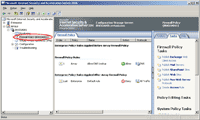
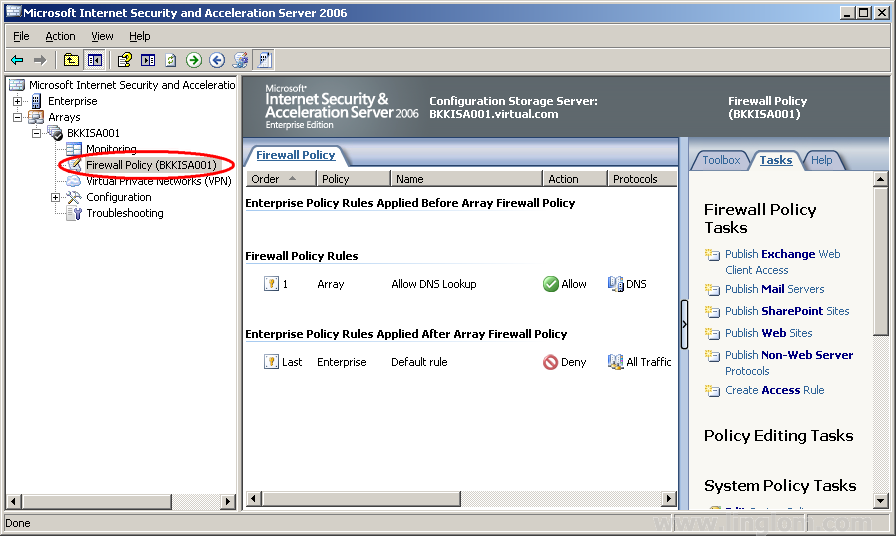
- On ISA Server Management, open Firewall Policy by expand Arrays -> BKKISA001 -> Firewall Policy (BKKISA001).
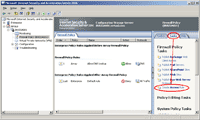
- On Firewall Policy, select Tasks and click on Create Access Rule.
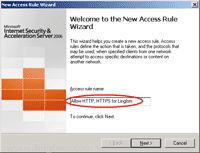
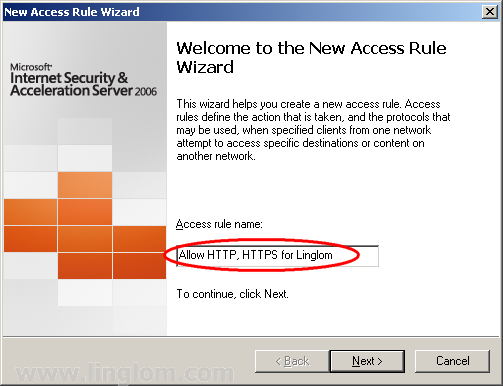
- On Welcome to the New Access Rule Wizard, type a name for the access rule. On this example, I type “Allow HTTP, HTTPS for Linglom” and click Next.
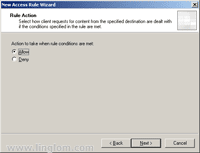
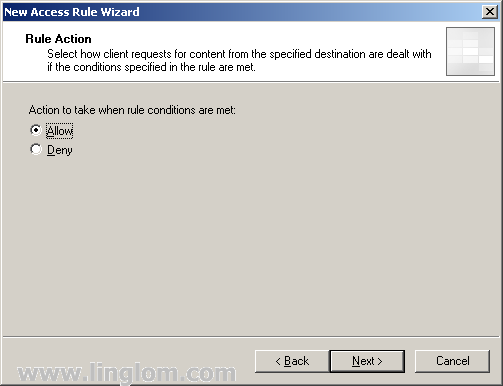
- On Rule Action, select Allow and click Next.
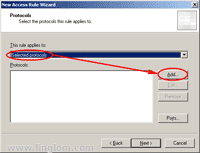
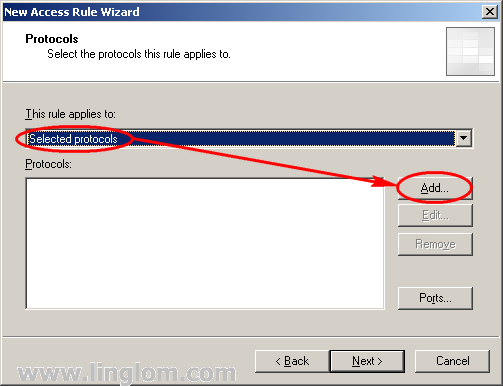
- On Protocols, you have to choose which protocols will be applied to this rule.
- Select Selected protocols and click Add.
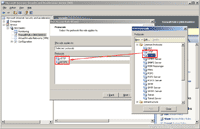
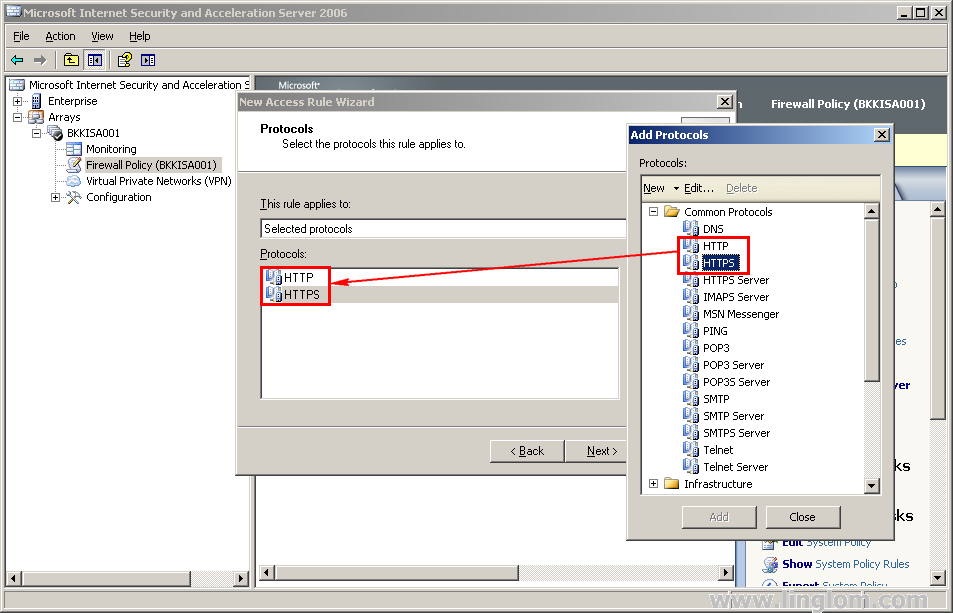
- On Add Protocols, expand Common Protocols and double-click on HTTP and HTTPS. Then, click Close and click Next to continue.
- Select Selected protocols and click Add.
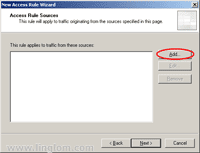
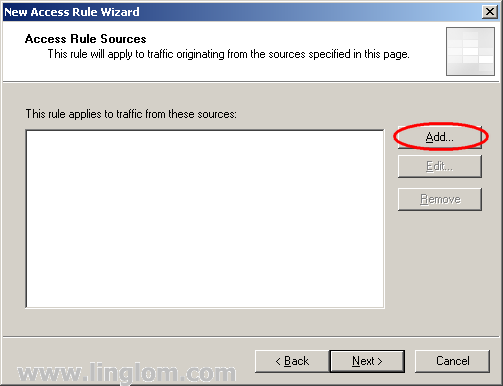
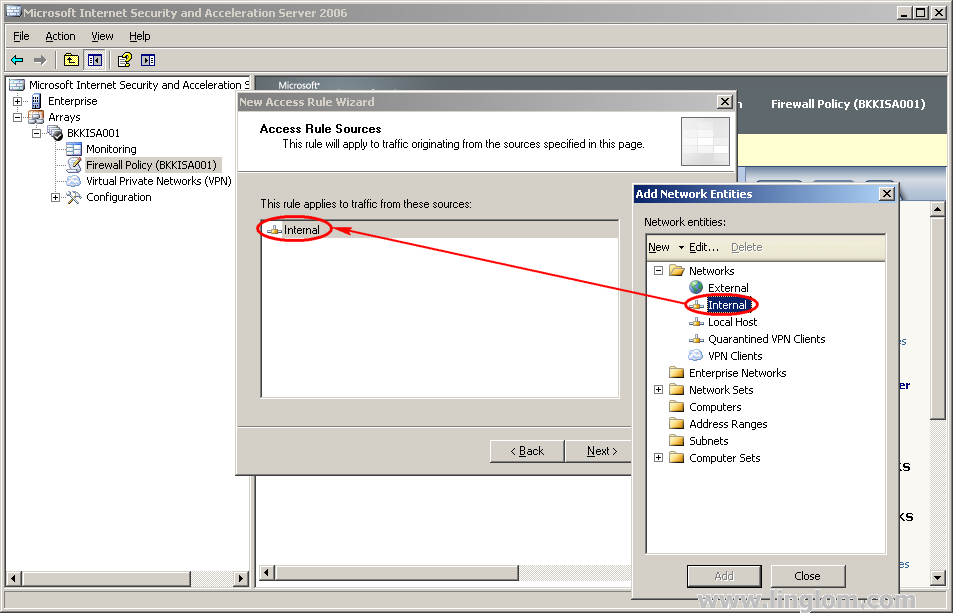
- On Access Rule Sources, select the source network for this rule.
- Click Add.
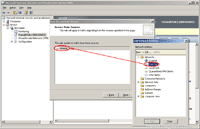
- On Add Network Entities, expand Network and double-click on Internal. Click Close and click Next to continue.
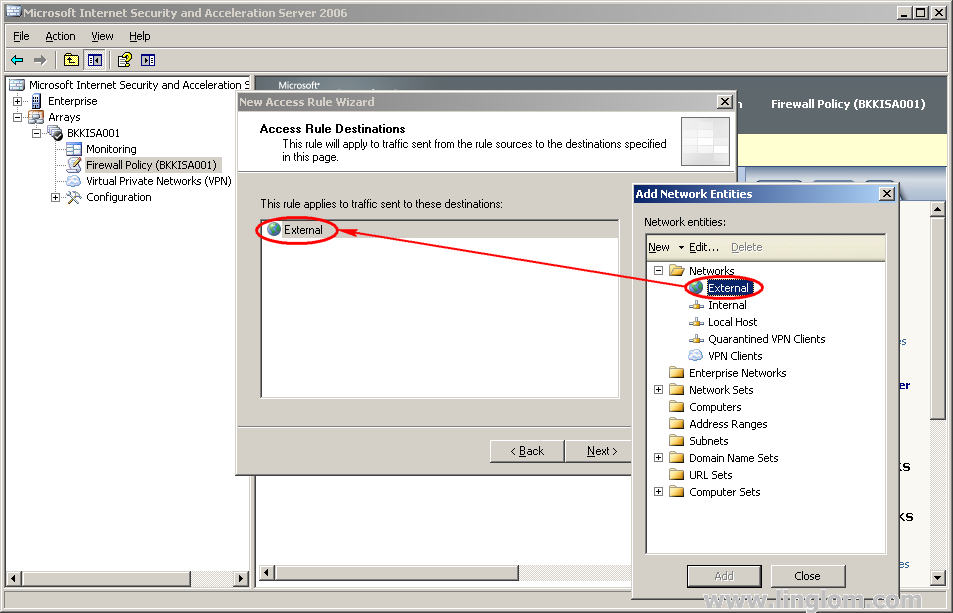
- Click Add.
- On Access Rule Destinations, do the same as the previous step but select External network as a destination.
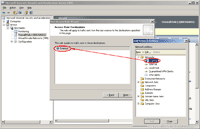
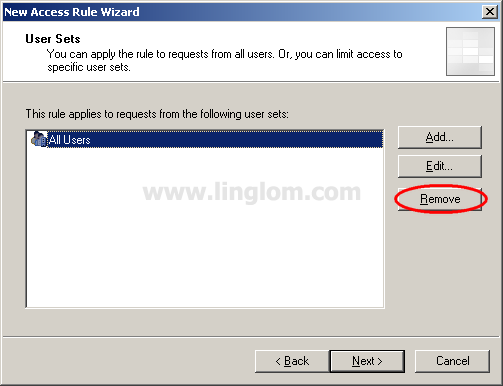
- On User Sets, you have to select which users and groups are applied to this access rule. On this example, I want this rule apply to only a domain user account – linglom.
- Remove All Users by click on Remove and add a new User Sets by click Add.
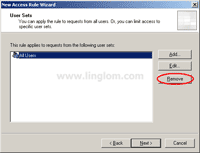
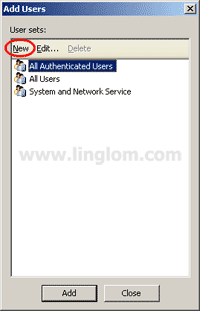
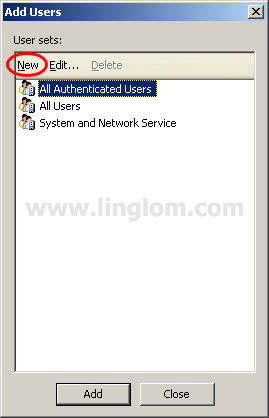
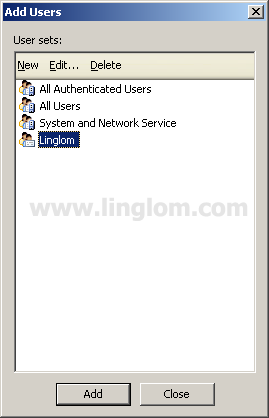
- On Add Users, you see existing user sets available. There is no user set that I want so I will create a new one. Click New.
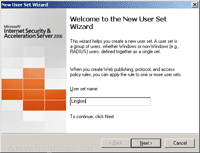
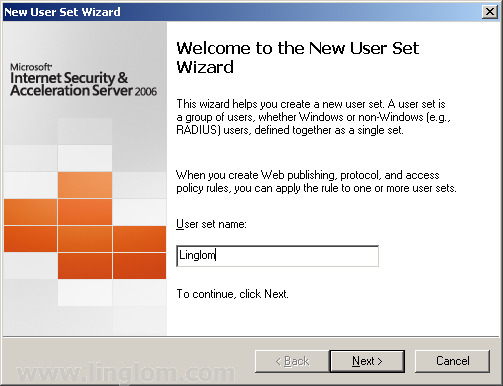
- On Welcome to the New User Set Wizard, type the name of a new user set that you want and click Next.
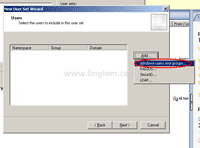
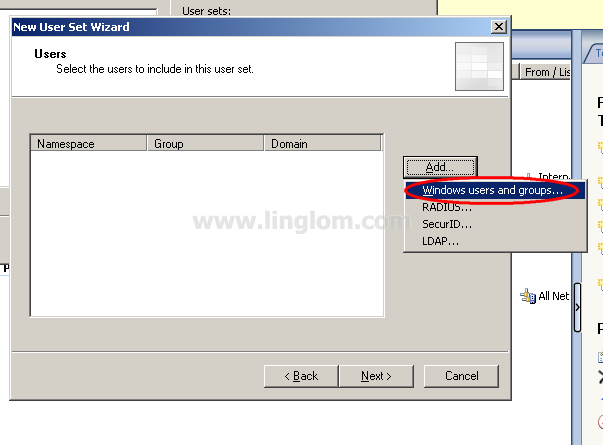
- On Users, click Add -> Windows users and groups.
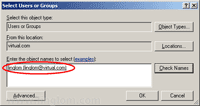
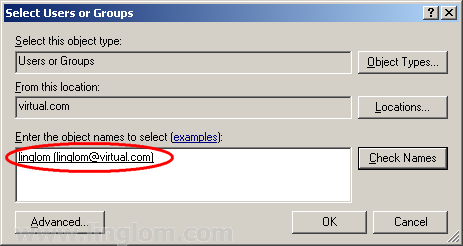
- On Select Users or Groups, select the users or groups that you want to add to this new user set. On this example, I select the domain user – linglom. Then, click OK.
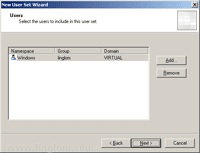
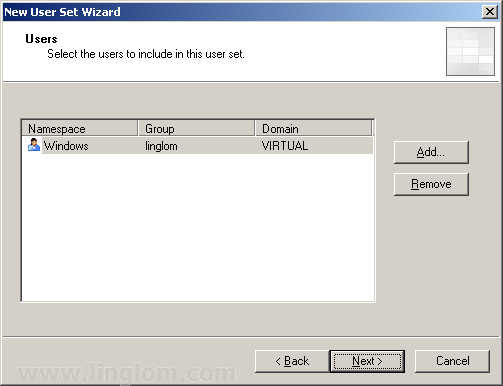
- You see that the user has been added to a new user set. Click Next.
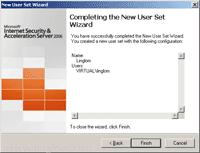
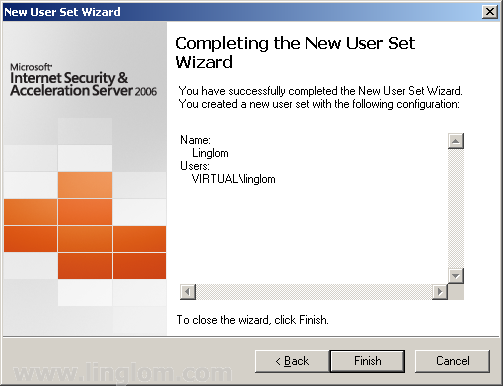
- On Completing the New User Set Wizard, click Finish.
- A new user set is created. The, select on it and click Add to add the new user set to this rule.
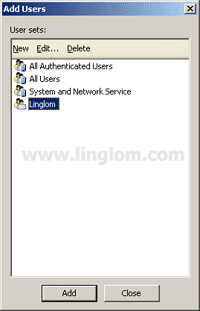
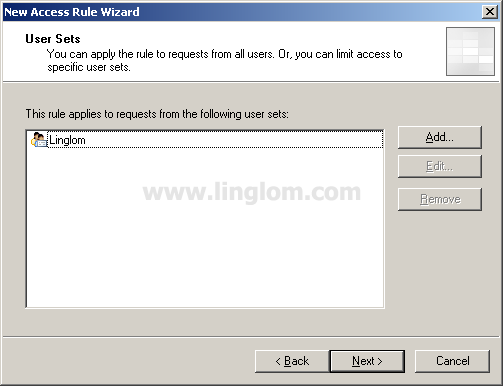
- Now the user set is added to the rule. So this rule will be apply to only this user – Linglom. Click Next.
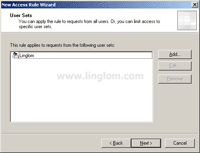
- Remove All Users by click on Remove and add a new User Sets by click Add.
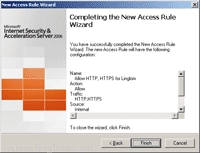
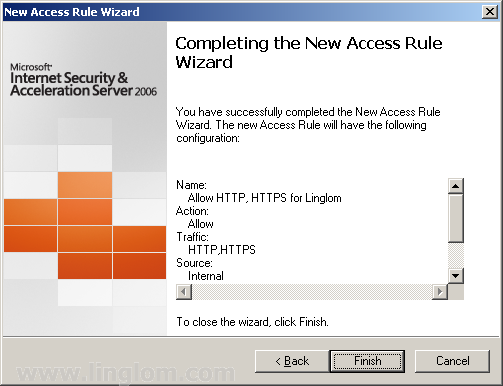
- On Completing the New Access Rule Wizard, click Finish.
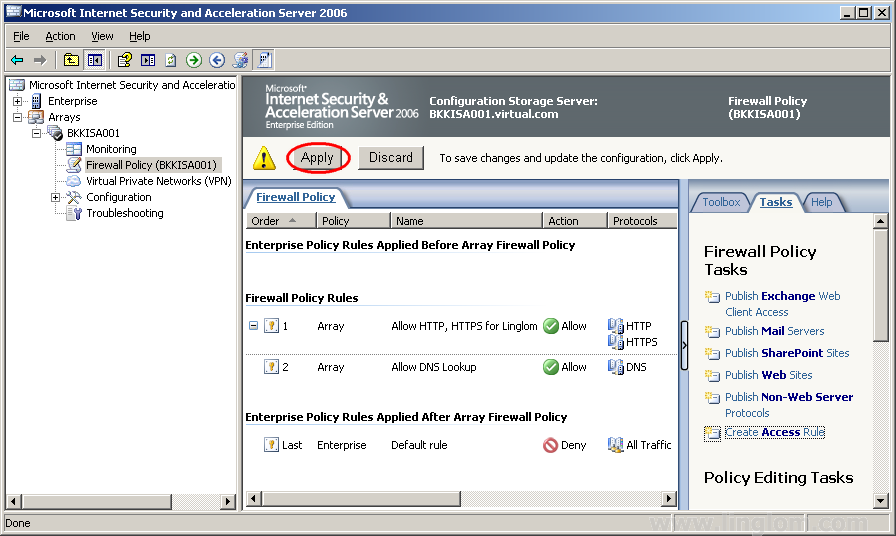
- Don’t forget to save the changes that you have made by click on Apply at the top.
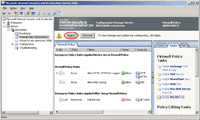
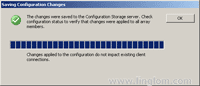
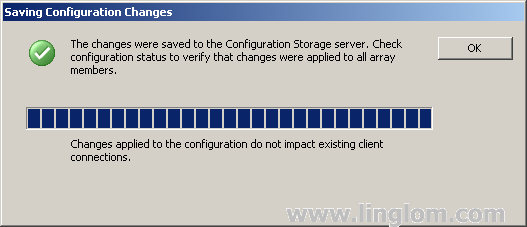
- The changes have been saved. Click OK.
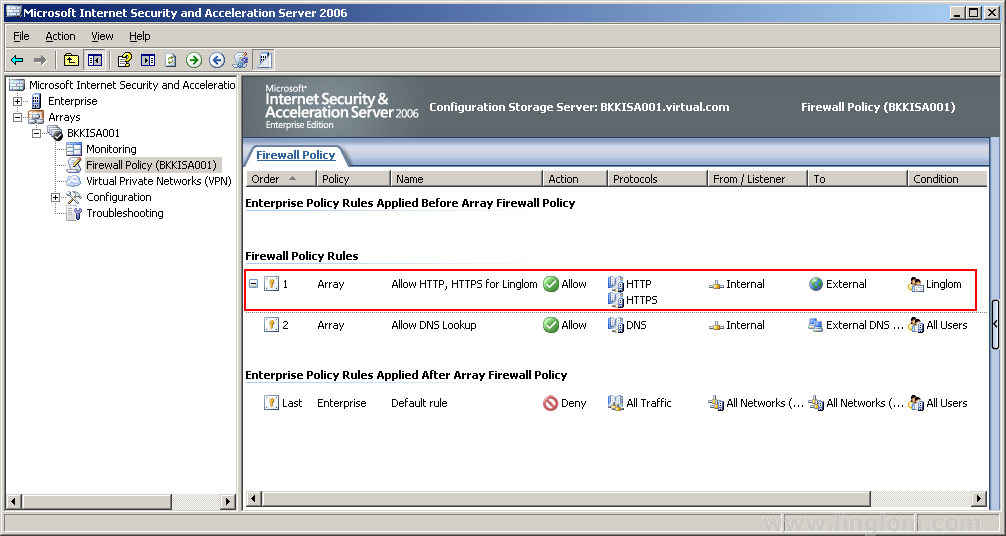
- Now you see the rule that you have created.

What’s Next
You have some access rules on ISA Server 2006. That’s it for the basic configuration on the sever. Next, I will start configure client to access the Internet through ISA Server 2006.
Dear linglom you are great.your writing skills are best i love your style and all of your guides.
I am using ISA and I am having a problem… Well I have set of Allow and Deny for different group, but I can’t seem to make it work.. Which one shoudl I put up and down? The allow or Deny ? I work in a school so I divided it in 4 group. Student, Teachers, Administration, and Heads…. So should I put 4 allow up then 4 deny, or each group with his allow and deny? Where does the ISA to DC1 goes? ISA to Internet? If I put one rule up first then the other rules won’t work? If I disable student group the other group work, but if I don’t disable it all the other group will take the student rule. The student rule is the most ristrictive (I am blocking youtube,hotmail,music,.exe,.mp3,etc) The other group are less ristrictive. Its a bet confiusing. Some help please… I do hope you get my point.
Hi, Meshari
You should not use both allow and deny rules at the same time if it is possible because they may confuse you. You should have only allow rule. The bottom rule will deny others traffic by default.
If you want to discuss more detail about your situation, you can send a message to me on Contact me tab.
Hi ling log ,thanks for your great presentation about ISA server,as per your blog i have configured my ISA proxy, but little confusion about my access rules. can you explain to “allow only specific website for particular users, i have created restricted group in my ads
hi, thanks for your blog, i have challenges creating users from the active directory. when i add users in windows users and groups. the location is only showing ISA server pc, the DC is not shown, so i cant add users on the AD to the users group i want to apply the policy to, what do i do? i have not configured AD on the ISA SERVER because we have a domain controller/AD on another server. do i need to configure AD on the ISA? (note: i used single network adapter configuration because we have another hardware firewall) waiting for your advice
i already configured the firewall properly
And it works fine with any other websites .but when i try our mail(http://mail.ethionet.et/) which is given from my country internet service provider(ISP) ,the login form displayed and when I type the username & password ,it display the following texts “Loading…. If u ar using a slow connection or an order computer, u may want to switch to standard (HTML) Versionâ€
When I click on this text message
it display the following error message After a long period of time
“The specified web server could not be contacted, and the requests timed out .please type the web address correctly or try it laterâ€
But when I try to open the above mail (http://mail.ethionet.et/) page in the Isa server 2006 computer after disabling firewall it works fine
Pls help I need to fix the problem
Dear Sir, i need know how to allow a single user to a particular sites only and all other Traffic for that user is block and he is only visit site that i allow him/her, ur requested to please brief in blog/pictures/diagram step by step, waiting ur reply, thanks in advance..
Emran Ali
Dear, the same question of mine. please advice
paul Says:
September 20th, 2010 at 10:42 pm
hi, thanks for your blog, i have challenges creating users from the active directory. when i add users in windows users and groups. the location is only showing ISA server pc, the DC is not shown, so i cant add users on the AD to the users group i want to apply the policy to, what do i do? i have not configured AD on the ISA SERVER because we have a domain controller/AD on another server. do i need to configure AD on the ISA? (note: i used single network adapter configuration because we have another hardware firewall) waiting for your advice.
Dear, ISA in firewall policy how to add Users in User sets, please explain by blog/pictures/diagrams step by step to understand easily. thanks
How can i recieve my e-mails(from different email adresses) in to microsoft outlook or connect my emil adresses to outlook-office .so that i can send& recieve them from it( ms-outlook) for better mangement of e-mils
showkat shah
Hi!
I’ve a problem with a acess to a site of governemental instituiton – https, when we acess without isaserver 2006 is very fast to open de forms to fill online, if we pass with proxy it takes about 5 minutes to open.
That site is to fill a form on adobe reader, if i use chrome or firefox is fast to download however we can’t fill de form.
If anyone had that problem, and solved it, please give me ideas to resolve this!
Thanks a lot!
Hi Aldina,
– Have you tried to fill out the form online using firefox or chrome instead?
– Is it slow to access other https page through ISA Server web’s proxy? If so, it could mean issue about ISA Server’s configuration.
Hi ,
I am unable to telnet or FTP from my ISA 2006 server to a patching server. Please advice
Hi,
If the patching server uses Windows OS, check if Windows firewall is blocking the incoming connection or not. Or you could check ISA Logging to see if there is any denied connection to the server.