Most of the time, I work in Windows environment. But I sometimes have to work on Linux platform, too. So I decide to note it down this topic to remind myself.
There are many ways to change IP Address on Linux. First one is the easiest way that configure on GUI because it’s like on Windows platform. The second way is configure on command-line but it is only temporary, it’ll reload to the old configuration when the network service is restart. And the last one is also configure on command-line to change IP Address permanently.
Section
- Configure on GUI (Permanently)
- Configure on commad-line (Temporary)
- Configure on commad-line by edit configuration file (Permanently)
Step-by-step to change IP Address on Linux RedHat
Configure on GUI (Permanently)
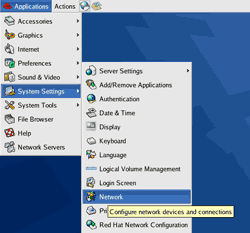
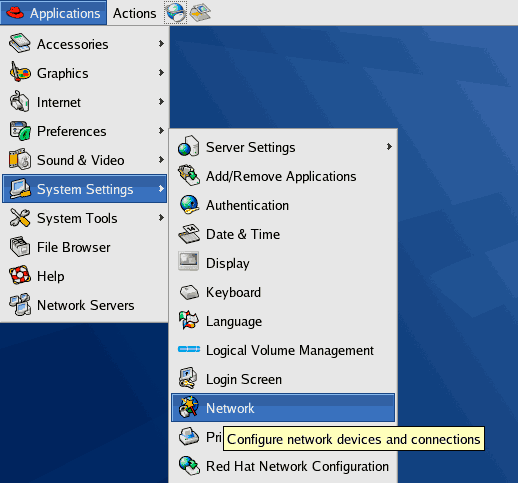
- Select Application -> System Settings ->Network.
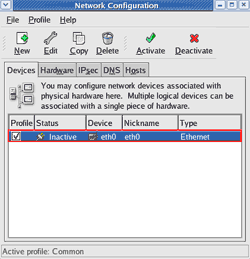
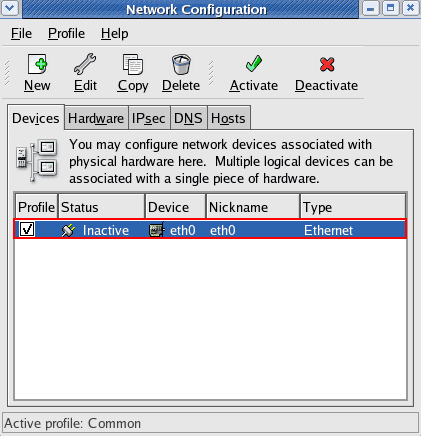
- On Network Configuration and Devices tab, you’ll see available network card on the PC. In this example, the PC has 1 network interface card (NIC) and it’s currently inactive. Double click on the network interface card (NIC) that you want to configure to open its property.
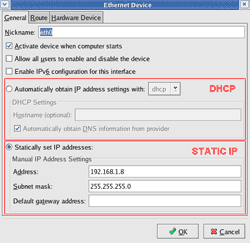
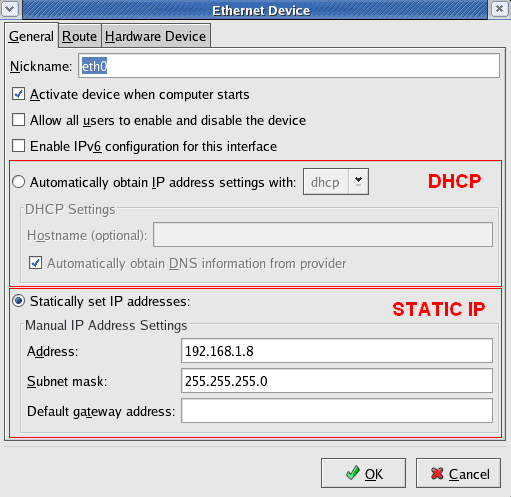
- On Ethernet Device, you can configure the NIC to be either DHCP or static IP Address. When you finish, click OK.
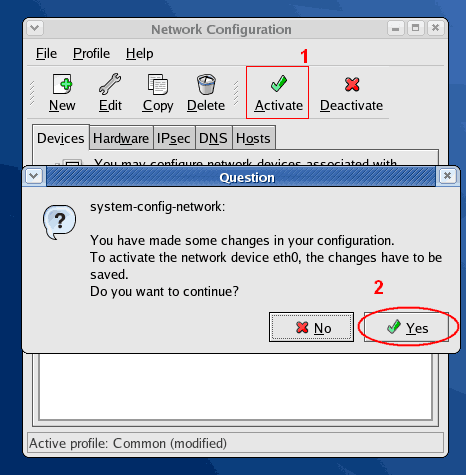
- There is a pop-up message ask for activate the NIC. Click Yes to enable the NIC.
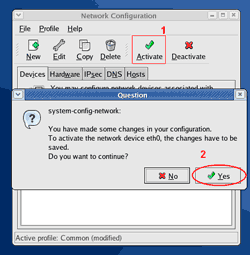
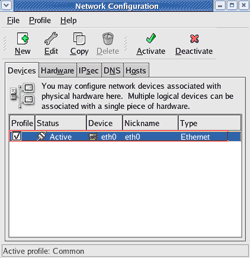
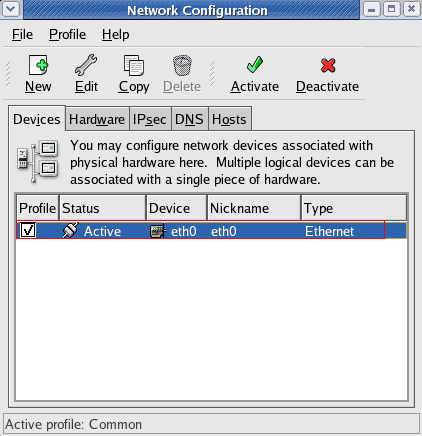
- The NIC will be restarted to reload the new configurations and the NIC is active now.
Configure on commad-line (Temporary)
Note: This way change IP Address only temporary. When you restart network service, it’ll load from configuration file to replace this configuration.
- Open Terminal.
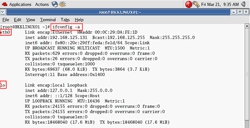
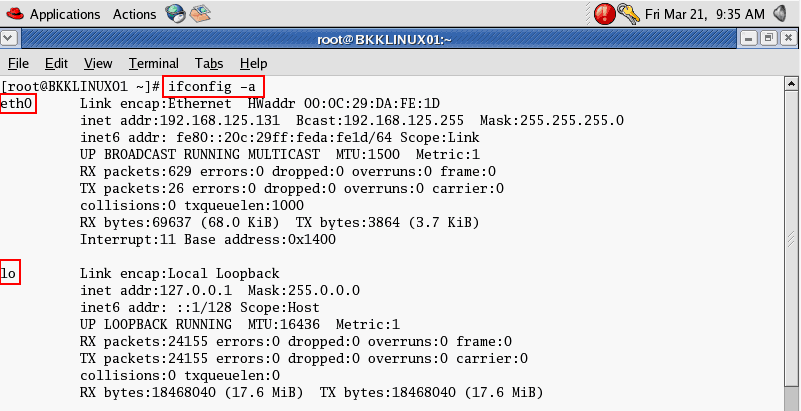
- Type
ifconfig -a
to list all network interface card on the current PC.
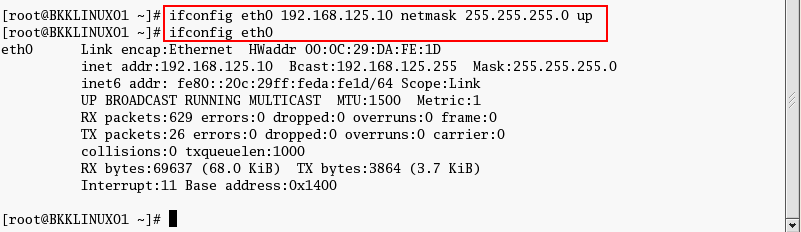
- Type
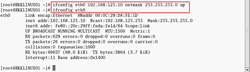
ifconfig eth0 192.168.125.10 netmask 255.255.255.0 up
to configure IP Address on interface eth0.
-
Note: To configure gateway, type
route add default gw [gateway address].
Configure on commad-line by edit configuration file (Permanently)
- Open Terminal.
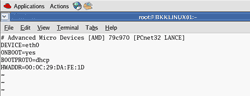
- Open network configuration file. In this example, it’ll configure on interface eth0. Type
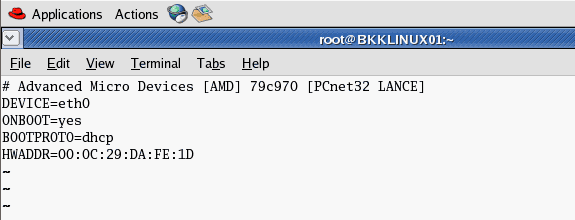
vi /etc/sysconfig/network-scripts/ifcfg-eth0

- The current configuration is DHCP.
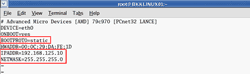
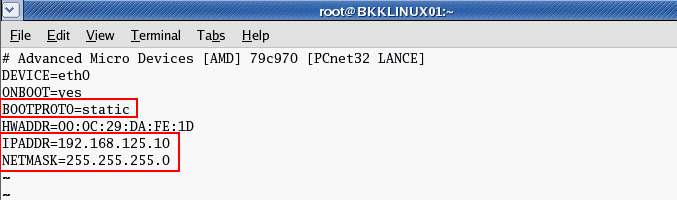
- Modify the file by press ‘i’ to enter insert mode. Change BOOTPROTO to static and add IP Address and Net mask as new lines if they’re not existed yet..
BOOTPROTO=static
IPADDR=192.168.125.10
NETMASK=255.255.255.0Save the configuration file by press ESC + ‘:’ and type ‘wq’ to write and quit the editor.
- You can added these configuration to the config file. Replace [number] with your actual value.
GATEWAY=[number] TYPE=Ethernet
NETWORK=[number] BROADCAST=[number] - Restart the network interface card. Type
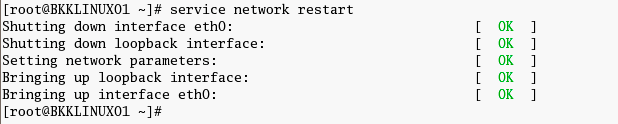
service network restart
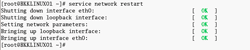
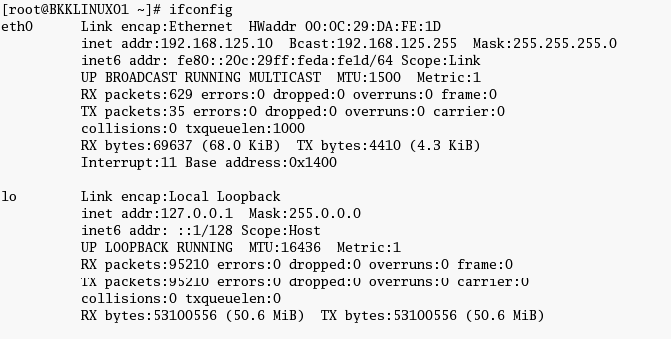
- Review the configuration. Type
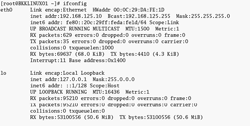
ifconfig
. The IP Address has been changed permanently.

Today it is easy updating IP Address when we are using GUI mode. Previous my favourite command was ifconfig down and ifconfig up.
give me some infomation abt linux opresting system i want to be learn Thankyou
That was a excellent step by step instruction on how to change the IP.
Most other sites get a bit too technical and spin off a load of jargon.
I found this very easy to follow.
Thanks
Thanks man, this was by far the easiest instructions I found on how to do it.
It was useful for me , Thank you .
Thanks .. that was like a quick refresh ..
Thank you saved me a lot of time in man pages.
Thanks for being knowledgeable, concise, and comparative with the example and for helping others in an intelligent thoughtful manner.
Concise, no gimmicks. Thank you
Well, have to say thanks for the perfect tutorial!! really thanks!!!
greez
Good info. One question though.. where do we put DNS entries (Primary and preferred)? usually in Windows and Linux GUI we can put those addresses right on same window?
To add DNS entries on Linux GUI, you can use comma to separate multiple DNS entries.
To add DNS entries on Linux command-line, open network configuration file, for example, ifcfg-eth0, then add the following line:
Save the file and restart network service.
Thank you very much for the post the God Almighty bless you and give to the world wisdom,I connecy successful .Thank you again.
thanks . working