- Accessing SQL Server on ASP.NET Web Application using SqlDataSource Web Control, Part 1: SELECT Data
- Accessing SQL Server on ASP.NET Web Application using SqlDataSource Web Control, Part 2: UPDATE Data
From part 1: SELECT Data, you see how to query data from SQL Server 2005 to display on a GridView object using SqlDataSource web control. But the data is read-only, you cannot modify any data on a GridView. So now you will see how to modify data on the GridView which will update back on the database.
Step-by-step to update data
Note: This example is continue from part 1: SELECT Data.
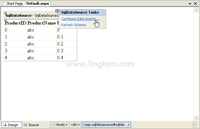
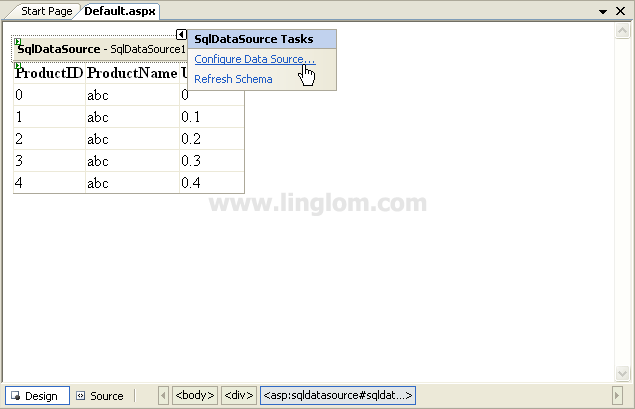
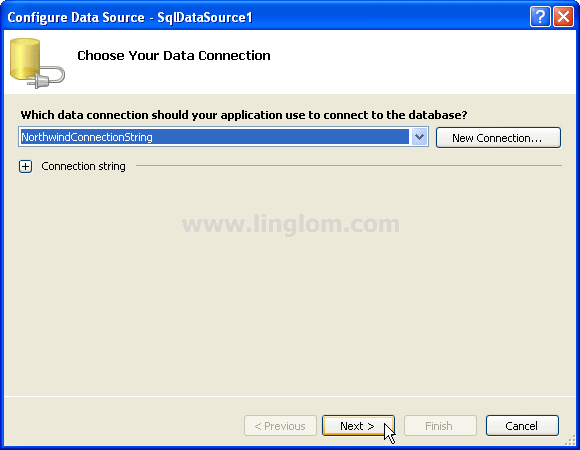
- On SqlDataSource1, click on Configure Data Source.
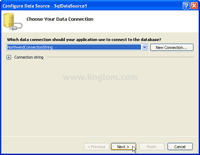
- On Choose Your Data Connection, click Next.
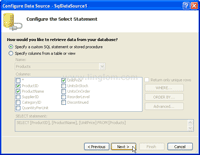
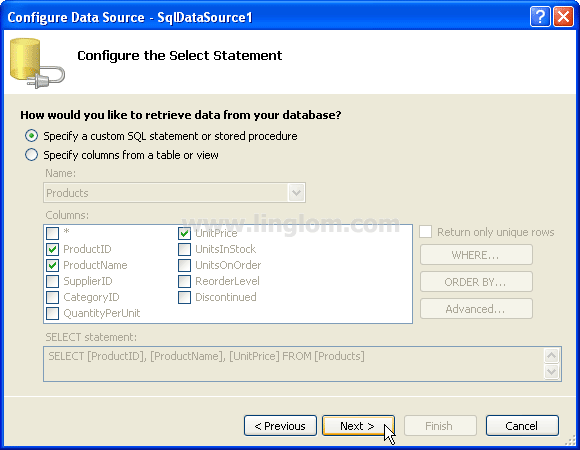
- On Configure Select Statement, change the option from Specify columns from a table or view to Specify a custom SQL statement or stored procedure. Click Next.
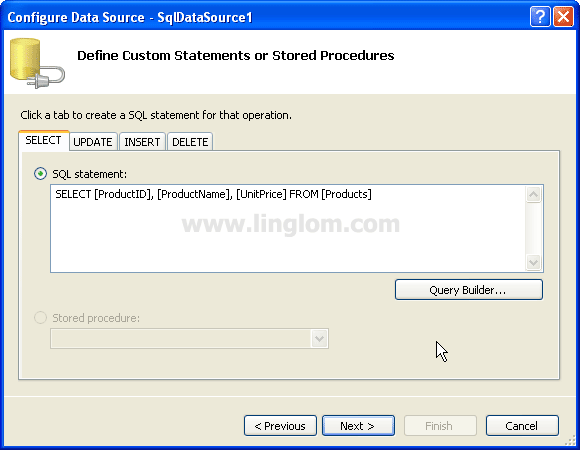
- On Define Custom Statements or Stored Procedures, you see 4 tabs which are SELECT, UPDATE, INSERT and DELETE. Here you can define custom SQL statements for each SQL operations. On SELECT tab, enter the SQL statement as below:
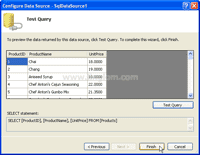
SELECT [ProductID], [ProductName], [UnitPrice] FROM [Products]
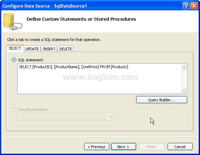
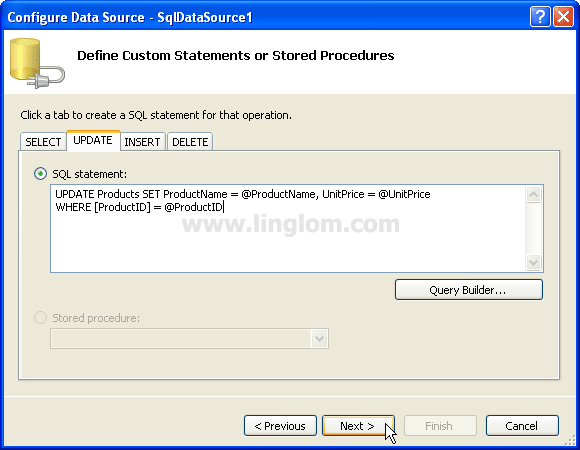
- Click on UPDATE tab, enter the SQL statement below and click Next.
UPDATE Products SET ProductName = @ProductName, UnitPrice = @UnitPrice
WHERE [ProductID] = @ProductID
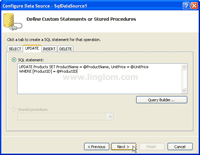
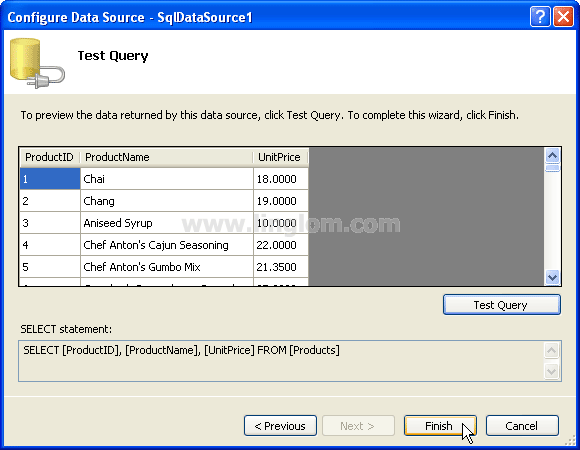
- On Test Query, Click Finish.
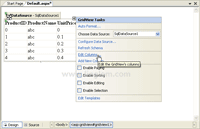
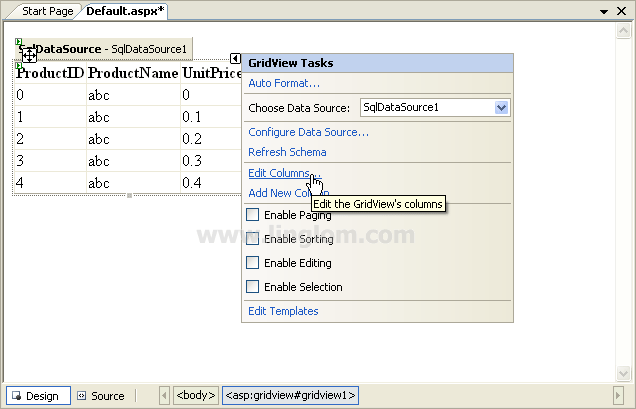
- On GridView1, click Edit Columns.
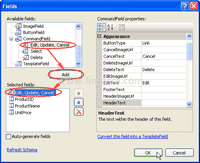
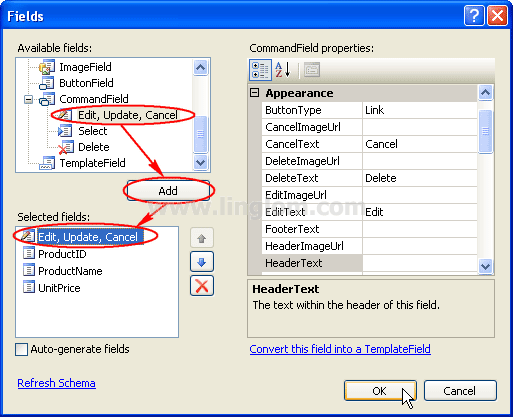
- On Fields, select Command Fields -> Edit, Update, Cancel on Available fields and click Add. Then, move the field Edit, Update, Cancel to the top by click on up arrow button. Next, click OK.
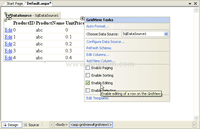
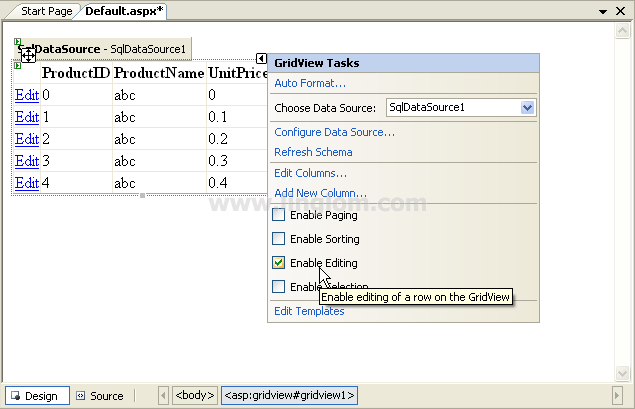
- On GridView1, check Enable Editing to allow edit data on the Grid View.
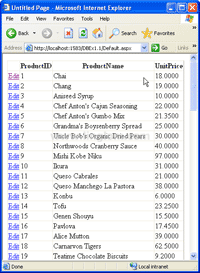
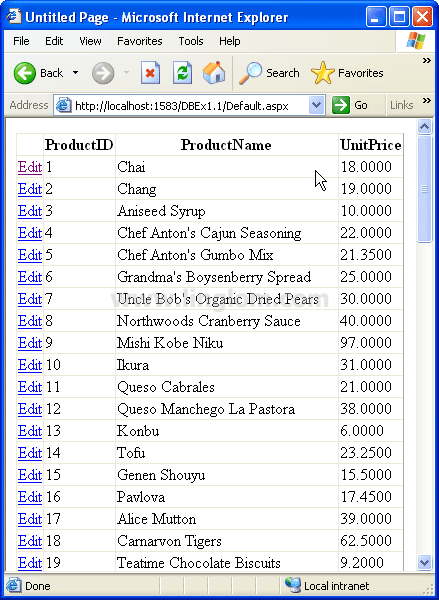
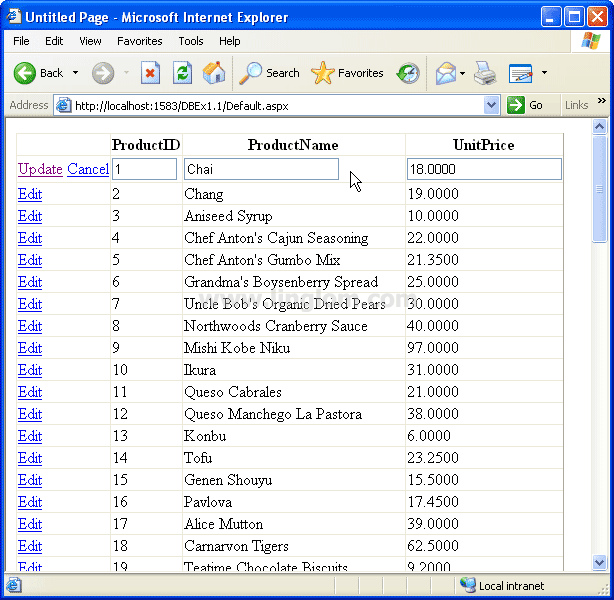
- Build and run the project. You see the Edit column in front of each row. Click Edit to edit the row.
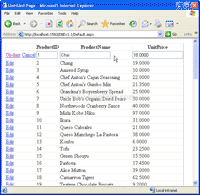
- You can modify the value of product name and unit price of the row which also update back on the database, too.
can any1 give me a code for gridview control.on click button i have to get data in the gridview control in asp.net 3.5..