Microsoft BizTalk server provides a predefined set of macros to help in create output filenames on File send handler. If you working with sending output as a file, you’ll find these macros are really useful that you don’t have to coding any statement to get these value. These macros can be found on MSDN library but I sometimes find it’s time consuming to search on MSDN every time I forget the macro. Therefore, I decide to quote the table from MSDN to this post instead.The useful macro is %SourceFileName% which I use most of the time. It returns filename with extension as the same name as when it received. Also, this macro allows me to customized the value dynamically,too. You can see the tutorial at BizTalkTraining3 – customize filename dynamically. Remember, this macro, it is case-sentitive.
To use macros, simply type macro in File name box.
Note: you can use more than 1 macro in the box.
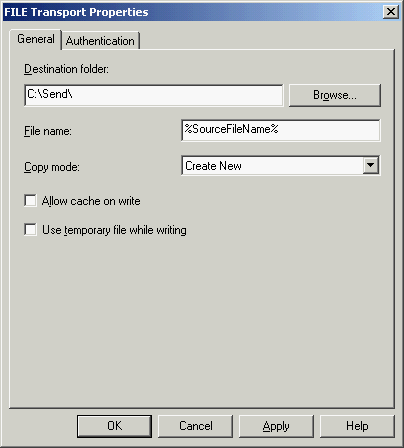
Quoting Macros from MSDN
The following table lists the supported macros and describes how the File send handler substitutes them.
Macro name Substitute value %datetime% Coordinated Universal Time (UTC) date time in the format YYYY-MM-DDThhmmss (for example, 1997-07-12T103508). %datetime_bts2000% UTC date time in the format YYYYMMDDhhmmsss, where sss means seconds and milliseconds (for example, 199707121035234 means 1997/07/12, 10:35:23 and 400 milliseconds). %datetime.tz% Local date time plus time zone from GMT in the format YYYY-MM-DDThhmmssTZD, (for example, 1997-07-12T103508+800). %DestinationParty% Name of the destination party. The value comes from the message context property BTS.DestinationParty. %DestinationPartyQualifier% Qualifier of the destination party. The value comes from the message context property BTS.DestinationPartyQualifier. %MessageID% Globally unique identifier (GUID) of the message in BizTalk Server. The value comes directly from the message context property BTS.MessageID. %SourceFileName% Name of the file from where the File adapter read the message. The file name includes the extension and excludes the file path, for example, Sample.xml. When substituting this property, the File adapter extracts the file name from the absolute file path stored in the FILE.ReceivedFileName context property. If the context property does not have a value, for example, if a message was received on an adapter other than the File adapter, the macro will not be substituted and will remain in the file name as is (for example, C:\Drop\%SourceFileName%). %SourceParty% Name of the source party from which the File adapter received the message. %SourcePartyQualifier% Qualifier of the source party from which the File adapter received the message. %time% UTC time in the format hhmmss. %time.tz% Local time plus time zone from GMT in the format hhmmssTZD (for example, 124525+530). Reference: Restrictions on Using Macros in File Names