If you change router, or modify wireless settings on the router, the wireless network profile that saved on Windows may be outdated and you may not be able to connect to the network and receive this message:
The settings saved on this computer for the network do not match the requirements of the network. |
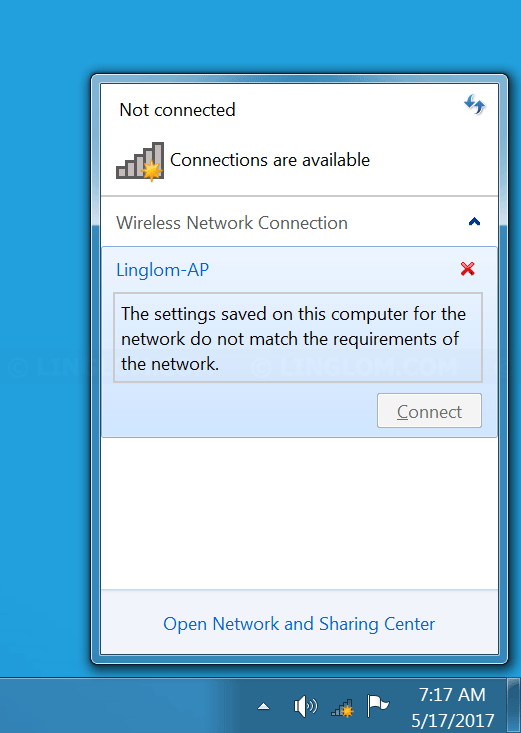
To fix this problem, you can try to remove or forget the current wireless network profile.
In this article, I will show 2 methods to remove or forget a wireless network profile in Windows 7.
- Forget wireless network profile from Network menu
- Remove wireless network profile from command prompt
Watch on YouTube
Step-by-step
Forget wireless network profile from Network menu
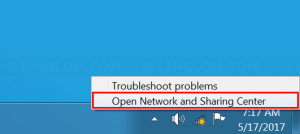
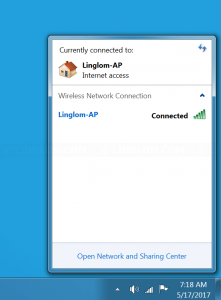
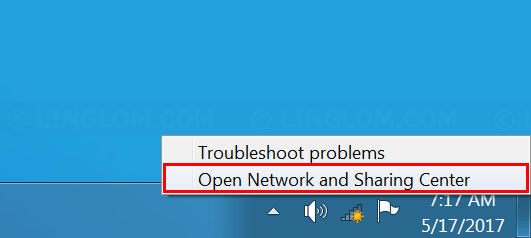
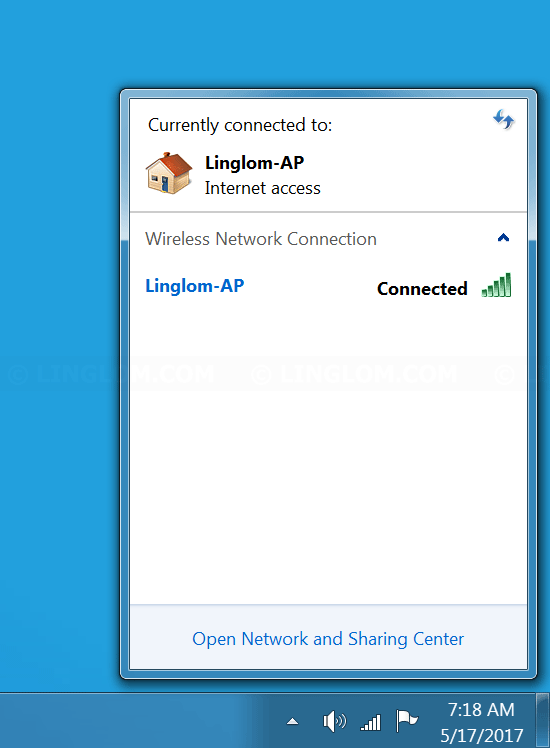
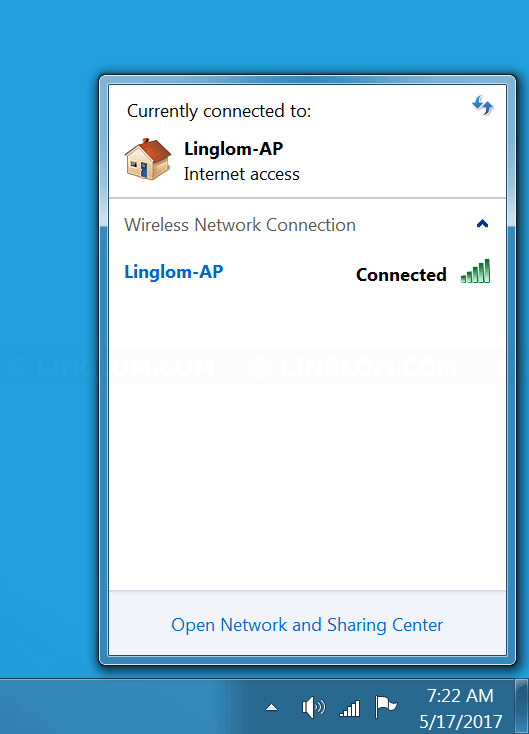
- On Windows desktop, right-click the wireless icon at bottom right and select Open Network and Sharing Center.
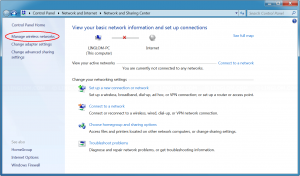
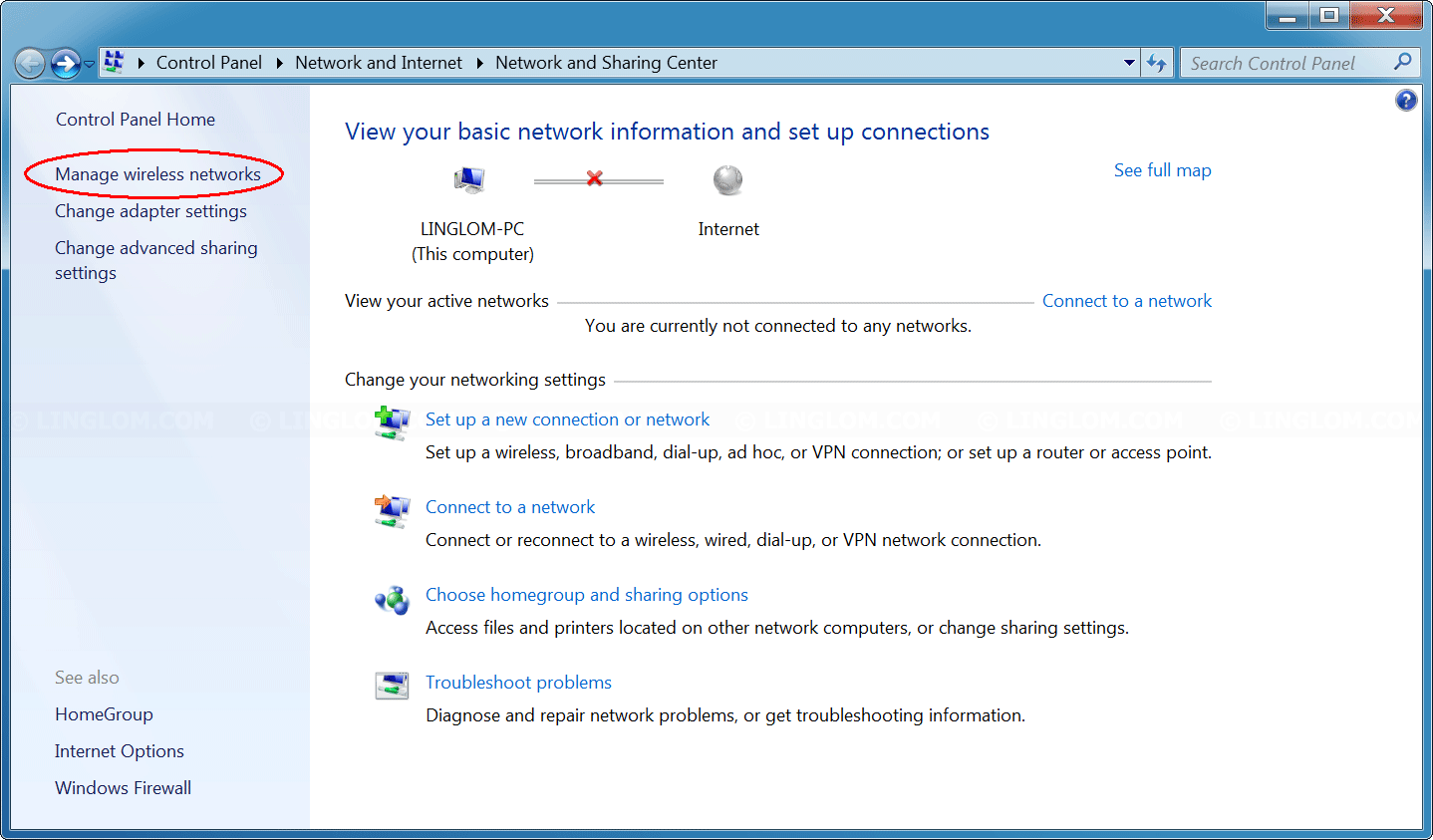
- Select Manage wireless networks on the left menu.
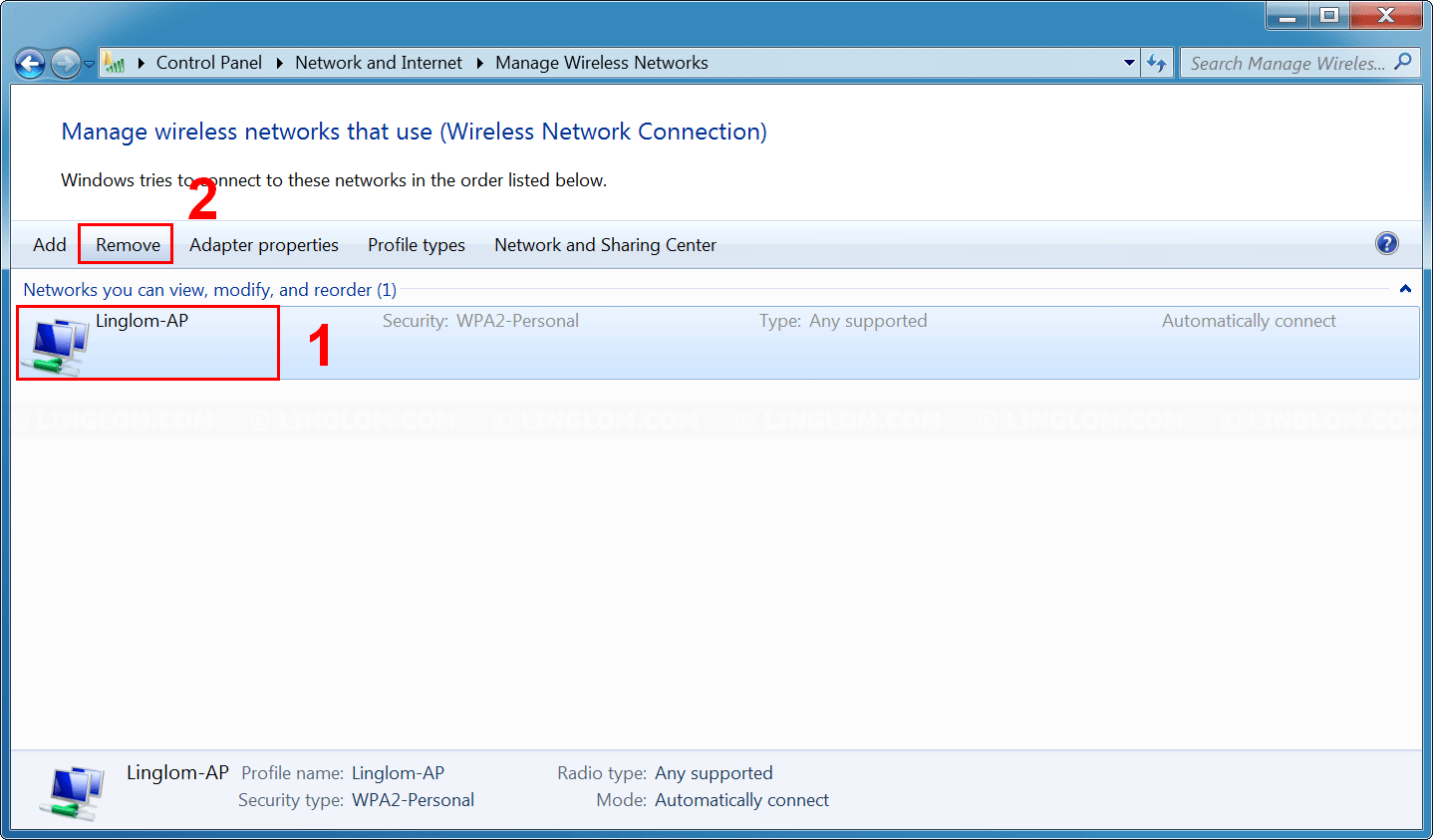
- You will see list of wireless network profile. Select a wireless network and click Remove to delete its profile.
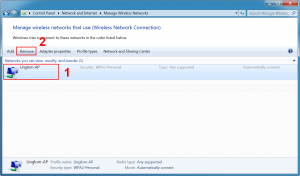
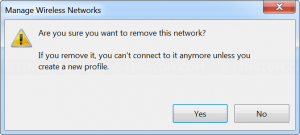
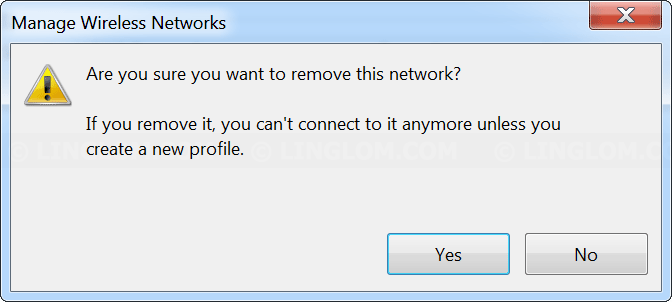
- Click Yes to confirm.
- Try to connect to the network again. You need to re-enter wireless password. Now you should be able to connect to the wireless network.
Remove wireless network profile from command prompt
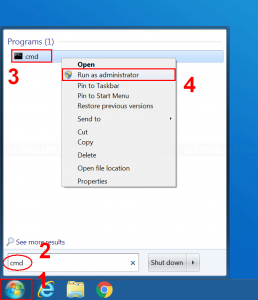
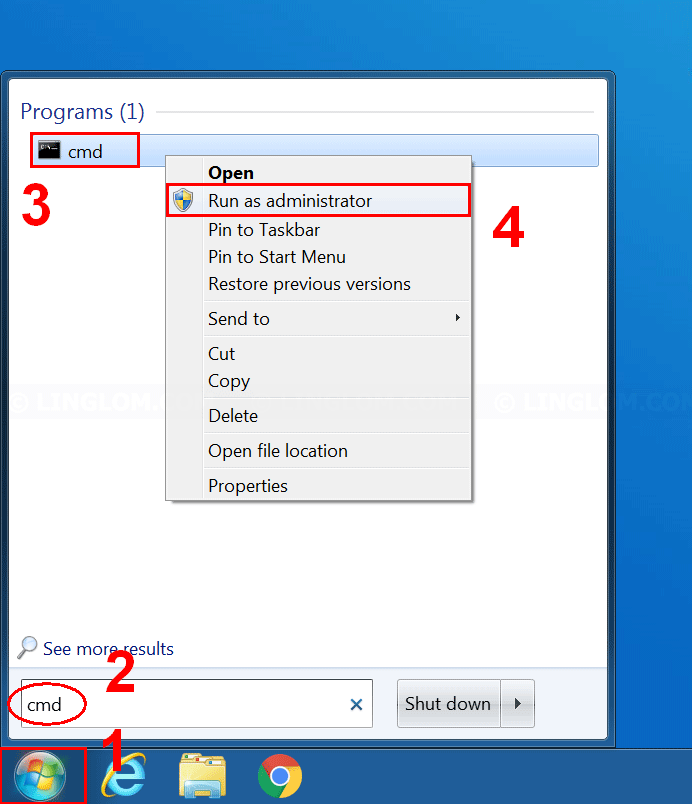
- On Windows desktop, open command prompt as administrator by:
- Click Start icon at bottom left
- Type cmd in search field
- Right-click the cmd program
- Select Run as administrator
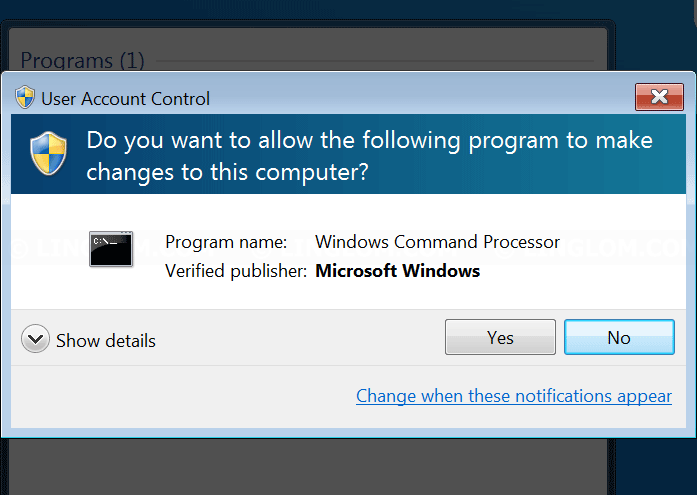
- Click Yes.
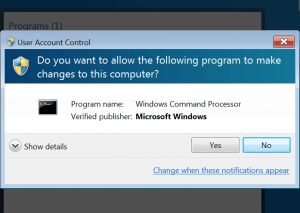
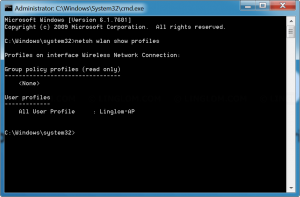
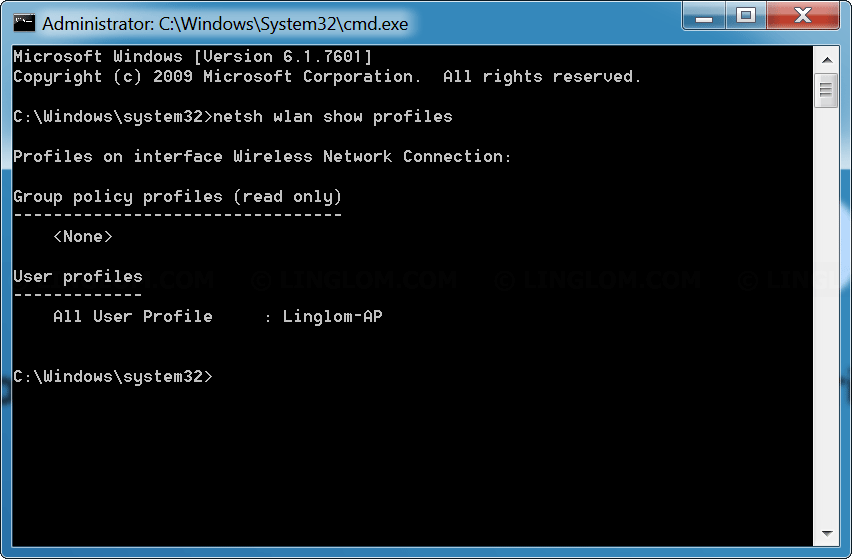
- On Command prompt window, type this command to list wireless network profiles that currently saved on Windows.
netsh wlan show profiles
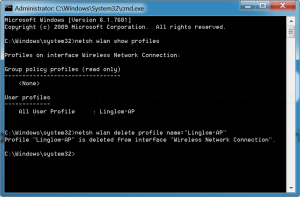
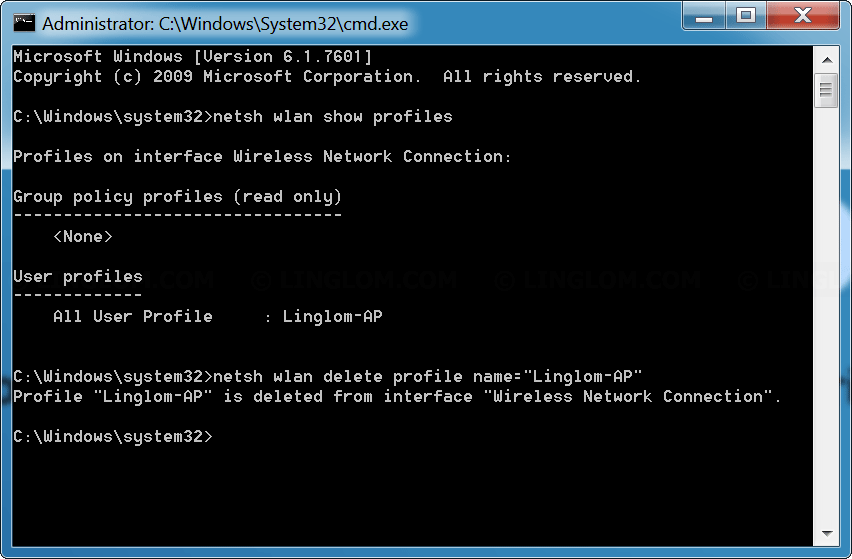
- To remove a profile, type this command and replace profile name (in double quotes) with one that you want to remove.
netsh wlan delete profile name="Linglom-AP"
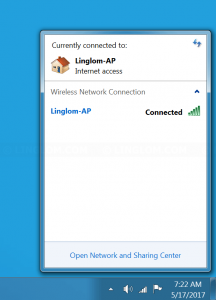
- Then, you can try to connect to the network again. You need to re-enter wireless password. Now you should be able to connect to the wireless network.
Top job thank you. Just changed ISP and got a new router, which clearly freaked out my network adaptor in my Win7 laptop. Was completely stuck in public mode so had very limited bandwidth, less than 1mbs. This allowed me to delete the offending new network, and clear out a whole host of other old ones that I’d been on in the past, which can’t be a bad thing I assume. Totally back in business now so thank you.
This Windows 7 wireless profile fix is a lifesaver—especially when switching routers or ISPs. The step-by-step guidance (GUI and Command Prompt) is clear, reliable, and actually works. For anyone dealing with outdated network configs, connection blocks, or “public network” throttling, this article cuts through the noise. And if you’re looking to *design or edit visuals while troubleshooting your network*, try YourArt.app—an AI-powered design agent with an infinite canvas for images and videos:
YourArt.app
This Windows 7 wireless profile removal guide is incredibly clear and practical—especially when switching routers or ISPs. The dual methods (GUI and Command Prompt) save real time and actually resolve stubborn “public network” throttling or connection blocks. If you’re troubleshooting connectivity *and* need powerful creative tools on the side, check out Nano Banana 2—a professional AI image generator with unmatched character consistency, native 2K/4K output, and full commercial rights:
Nano Banana 2
If you’re into Roblox Evomon and want reliable, up-to-date tools—like working promo codes, a searchable Pokédex, tier lists with confidence ratings, and a no-login team builder—check out Evomon Wiki. It’s fast, free, and constantly updated as the game evolves. Perfect for optimizing your team without sifting through outdated forums or broken Discord links.
Evomon Wiki
This Windows 7 wireless profile removal guide is spot-on—especially when switching routers or ISPs. The dual methods (GUI and Command Prompt) are clear, reliable, and actually fix stubborn “public network” throttling or connection blocks. If you’re troubleshooting connectivity *and* need cutting-edge creative tools, check out Seedance Ai Dev: a powerful multimodal AI video generator that transforms text, images, and audio into cinematic videos with precise motion control and native audio-video sync. Perfect for marketers, creators, and devs who demand pro-grade output. Learn more at seedanceai.dev
This Windows 7 wireless profile removal guide is spot-on—especially when your connection fails after switching routers or ISPs. The GUI and Command Prompt methods are clear, reliable, and actually work. If you’re also editing matcha-filtered photos or videos (and want to ditch that green cast *without uploading*), try Remove Matcha Filter Online: a free, privacy-first, client-side tool that works entirely in your browser—no account, no upload, no tracking.
Try it now
If you’re troubleshooting Windows 7 wireless issues—like outdated profiles causing “public network” throttling or connection failures—this Linglom guide is spot-on. But if you also care about privacy and transparency in facial analysis, check out Try Face Scale: a fully browser-based, no-upload PSL & geometry scoring tool that respects your data while delivering inspectable, educational insights. No signups, no tracking—just honest, real-time feedback.
Try Face Scale now
If you’re polishing your Chevening scholarship essays and want to ensure each one fully addresses the question, uses strong evidence, and forms a cohesive narrative across all four—CheveningPrep gives you precise, actionable feedback. It doesn’t rewrite for you; it shows *exactly* where your arguments drift, where proof is thin, and how the essays interlock—or don’t. Clear priorities, zero fluff. Perfect for final-stage refinement before submission.
Try CheveningPrep now
If you’re troubleshooting Wi-Fi issues on Windows 7—especially after switching routers or ISPs—this Linglom.com guide is spot-on. The dual-method approach (GUI and Command Prompt) reliably clears outdated wireless profiles causing “public network” throttling or connection failures. Clear, tested, and refreshingly concise. For IELTS candidates juggling tech hiccups while prepping for exams, having quick access to reliable, free practice tests can make all the difference. Check out fully reconstructed, date-stamped IELTS actual tests—with authentic audio and complete answer keys—all free and no registration required:
IELTS Actual Tests