- UML Modeling on NetBeans, Part 1: Installation
- UML Modeling on NetBeans, Part 2: Create a Use Case Diagram
- UML Modeling on NetBeans, Part 3: Generate code from UML Diagram
- UML Modeling on NetBeans, Part 4: Generate UML Diagram from Code
UML Modeling on NetBeans, Part 4: Generate UML Diagram from Code
Now I will show about how to generate a diagram from an existing code. It also can be called reverse engineering method. This example I will generate a class diagram from my existing source codes.
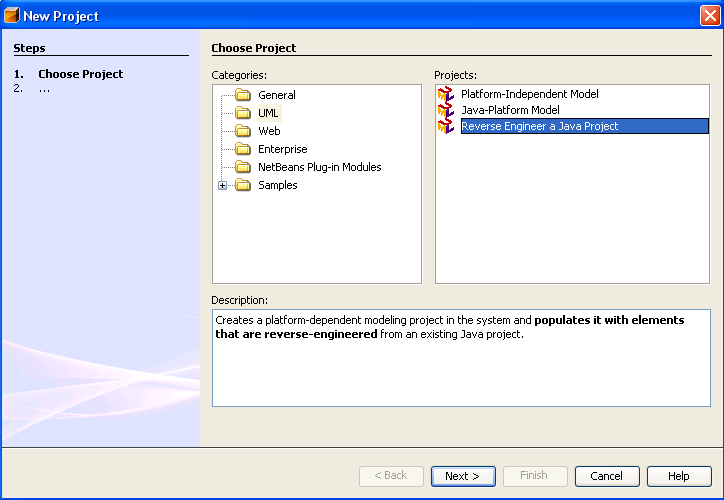
- Create a new Project. File -> New Project
On left side, Category, select UML.
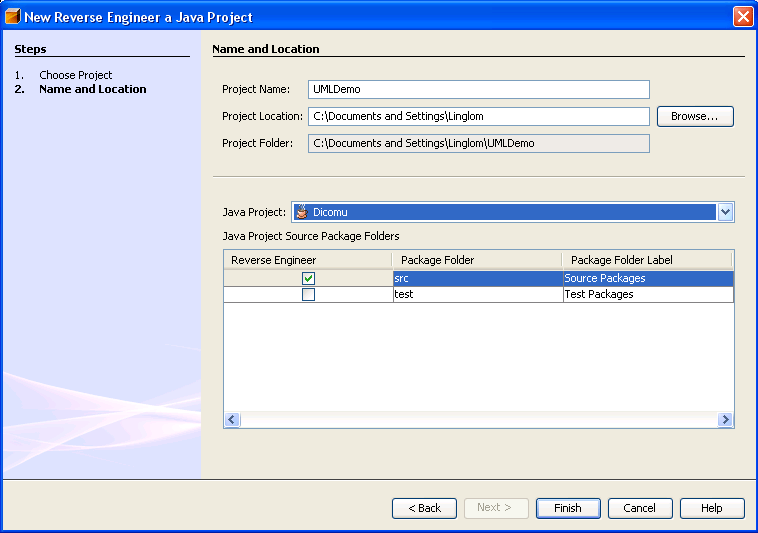
On right side, Projects, select Reverse Engineer a Java Project. Then click Next. - Project Name, type ‘UMLDemo’ or any name you want.
On the middle, you’ll see Java Project, select the project that contain existing source code that you want to create a diagram. Then move down a bit, ensure the check box has been checked on the folder that contain the source code.
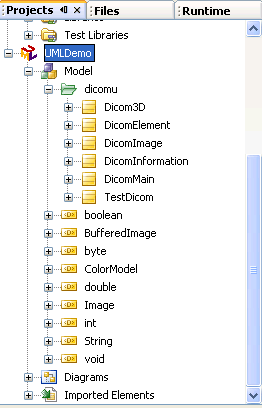
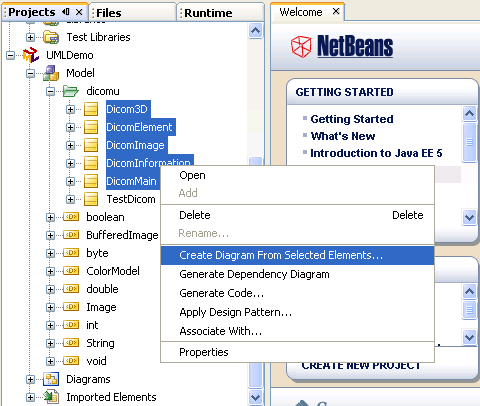
In this example, I select Dicomu project and check only src folder which contain my source code. - When the project has created, try expand Model -> your source project name on the Projects window. You’ll see the files from your source project has been created here as in the figure below.
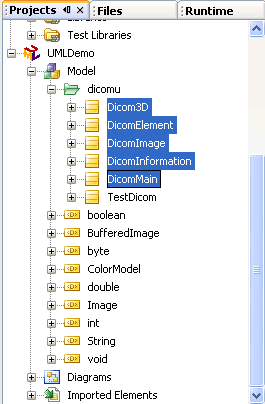
- Select the file names that you want to create a diagram by highlight them (hold shift + select first and last file). I select almost all files from my source project except TestDicom.
- Then right click on the highlight files, select Create Diagram From Selected Elements…
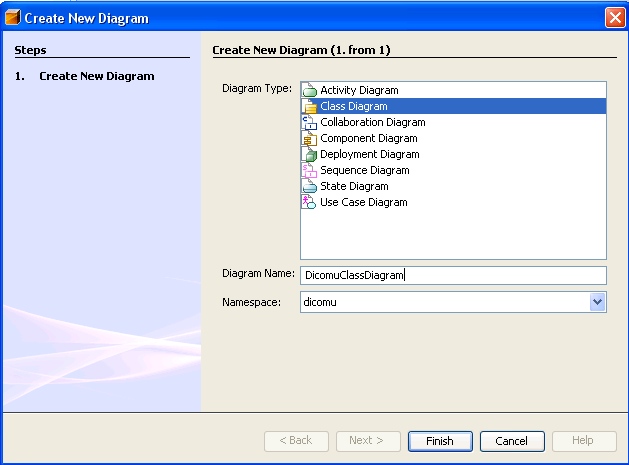
- In Diagram type, select Class Diagram and Name as DicomuClassDiagram.
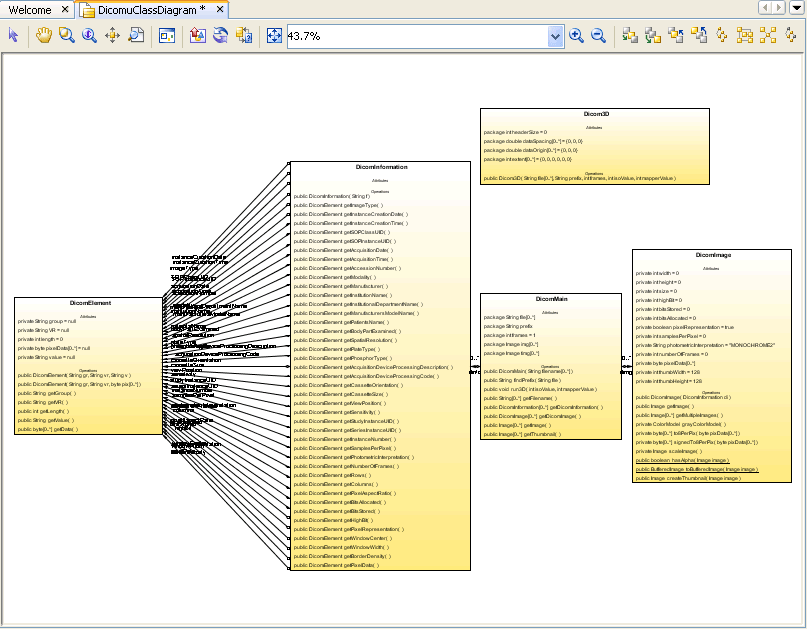
The namespace leave it as the same. Click Finish. - The class diagram will be generated as the figure below. Notice that the relation also been created from the source code automatically. For how to export a diagram to image can be found at the bottom in Part II.
That’s all. Complete all 4 parts. I think these series of tutorial can help you understanding and using UML Modeling on NetBeans better.
this is great…..
can u send me the tutorial(uml modeling)?pls
You can save the tutorial from your browser by yourself for reading when off-line. For example; Internet Explorer, click File -> Save As.. –> select type as Web archive, single file.
Best response out of all!!
linglom,
Thank you so much!
You’re the greatest.
instead of reverse engineer a netbeans project can you reverse engineer one single java class?
your tutorial real help me…
thanks ….
Hi,
followed the steps above but the UML didn’t populate with source from my project.using NB6.8
Any ideas
how to create Use case diagram using plugin from existing code.please reply soon its urgent
really it helped me a lot
It still doesn’t populate with source