Problem
On Windows XP Professional, the security tab in folder properties is hidden. So you can’t configure permission on a certain folder. Don’t worry, this is not effect from virus or malicious things. It is by design of Microsoft to hide the security tab as a default setting. This is the example of a folder properties on Windows that is in a work group. You’ll see that there is no Security tab in the figure below.
Note: On Windows XP which is in an domain will not affected this problem.
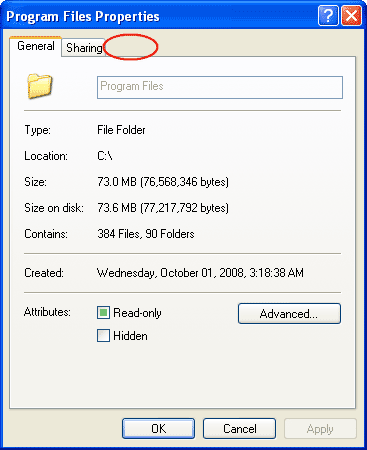
Step-by-step to solve missing security tab on Windows XP
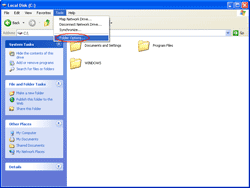
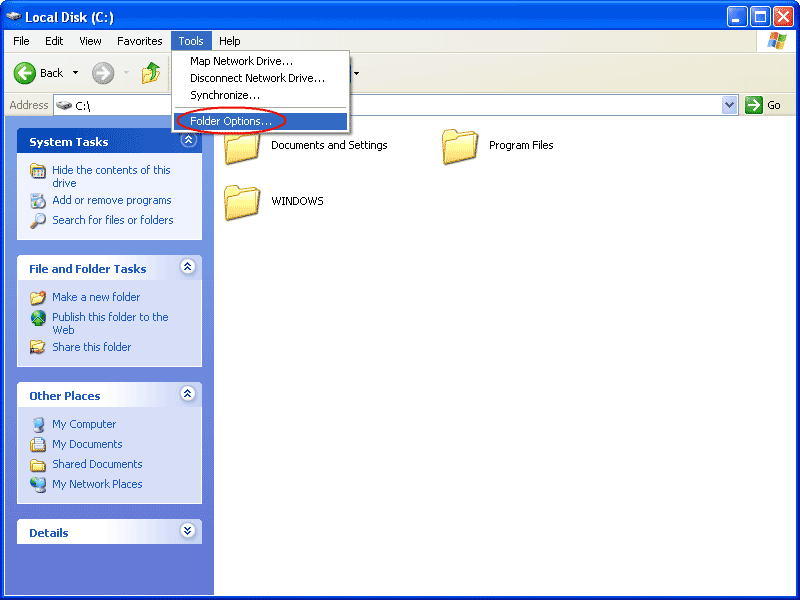
- Open Windows Explorer. Select Tools -> Folder Options.
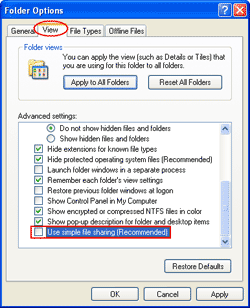
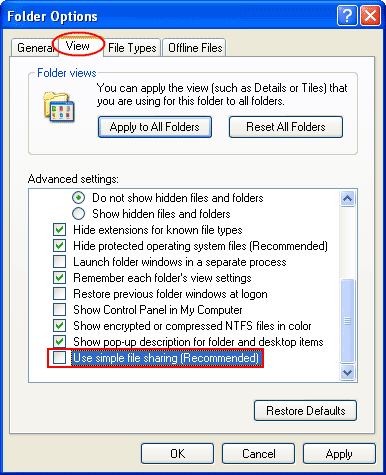
- Click on View tab. Then, browse to the bottom of the Advanced Settings and unchecked the box “Use simple file sharing (Recommended)”.
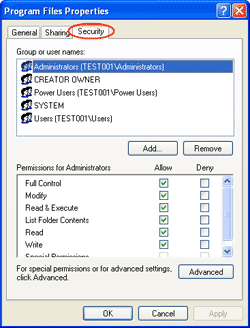
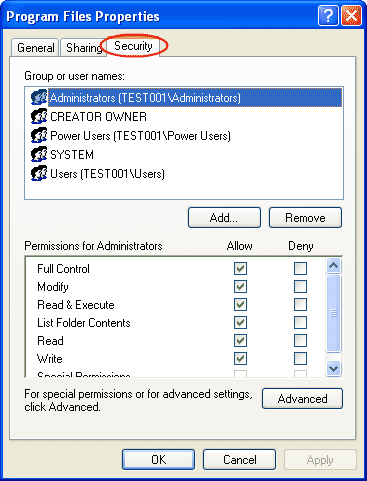
- Next, try to open the folder properties again. You’ll see the security tab. Now you can customize permission as you want.
Thanks for yor tip.
i had tried this solution but still no security tab
Hi, farooq ali
Is the computer in a domain? If it is in the domain, it may result from domain policy.
yess… i also had tried it, but still no security tab… >_<
@linglom… i don't understand what u mean with "is the computer in a domain"?
i am so sorry….
it’s work already,,, peace linglom…. =)
Thanks alot
Hi Linglom, I don’t understand what domain is. But i am using the administrative account. I can’t seem to have the “Use simple file sharing” in the checklist.
Thank you and it is working.
I am not able to see a sharing or security tab. I turned simple file sharing on, then off again. I think they pushed out a new policy. I need to administer properties because I have IIS on here and it’s my development environment. I also tried changing “Network access: Sharing and security model for local accounts” in group policies and that didn’t help. Was already what it should be. I do not log in through an NT domain.
I can see the security tab for drive properties but not folder properties. weird.
thanks man this option is enabled on win7 but not in win xp.weird