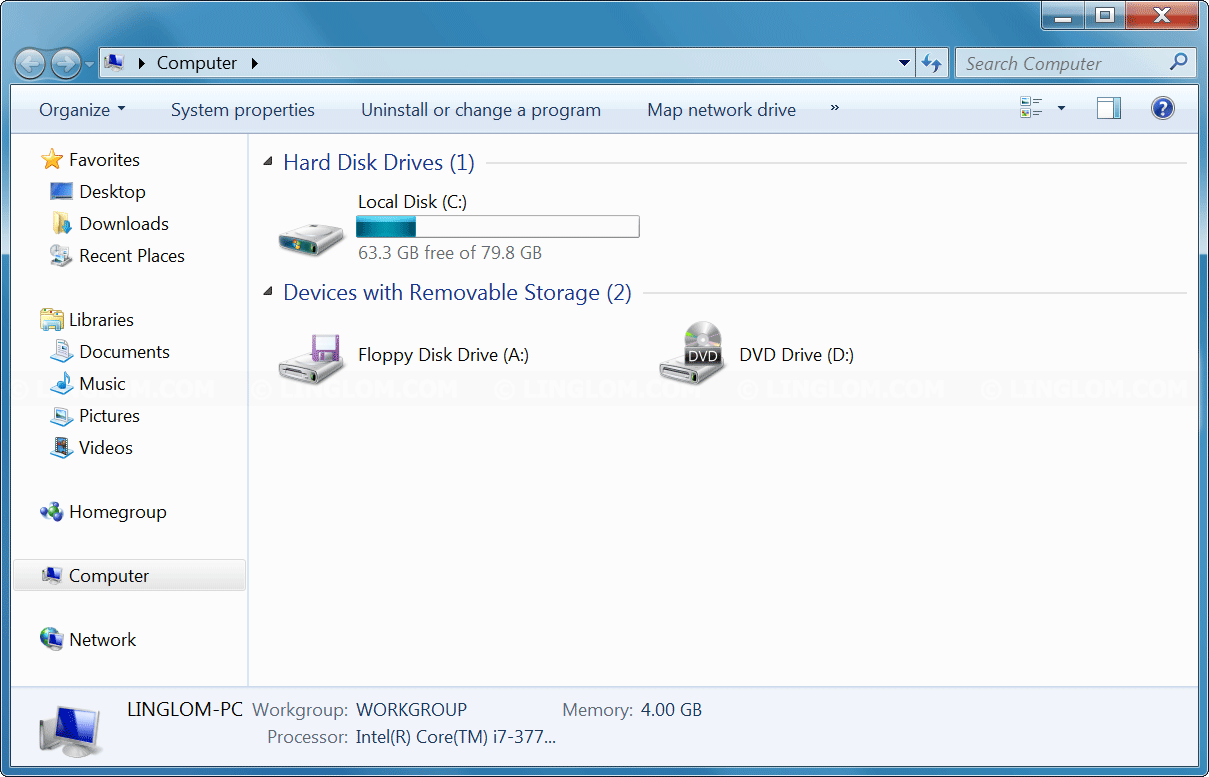
By default, My Computer icon (or This PC for Windows 8/10) is hidden on Windows desktop. If you want to display My Computer icon on the desktop, you can easily add it back within simple clicks. In this article, I will show how to add My Computer icon on the desktop in Windows 7/8/10.
Section
Watch on YouTube
Step-by-step
Display This PC icon on Windows 10
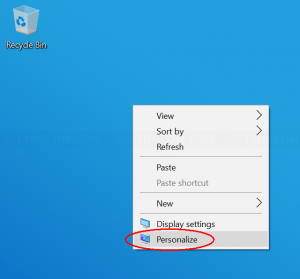
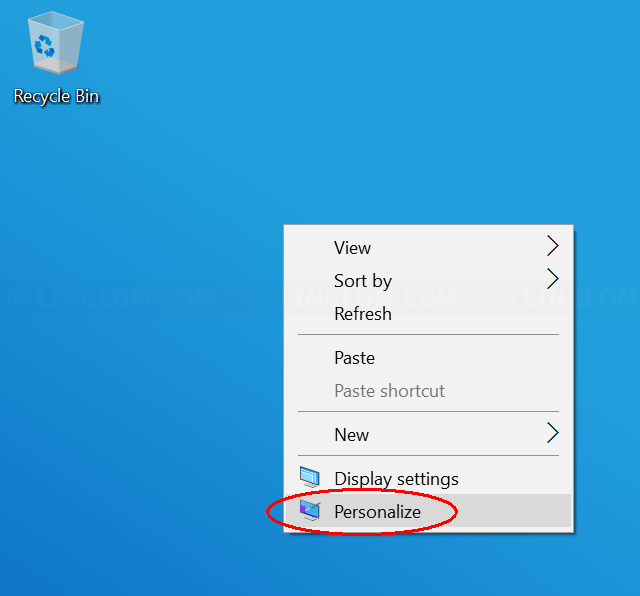
- On Windows desktop, right-click on the desktop and select Personalize.
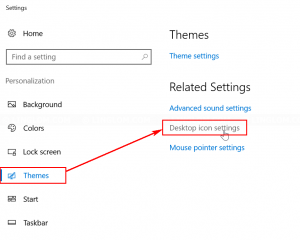
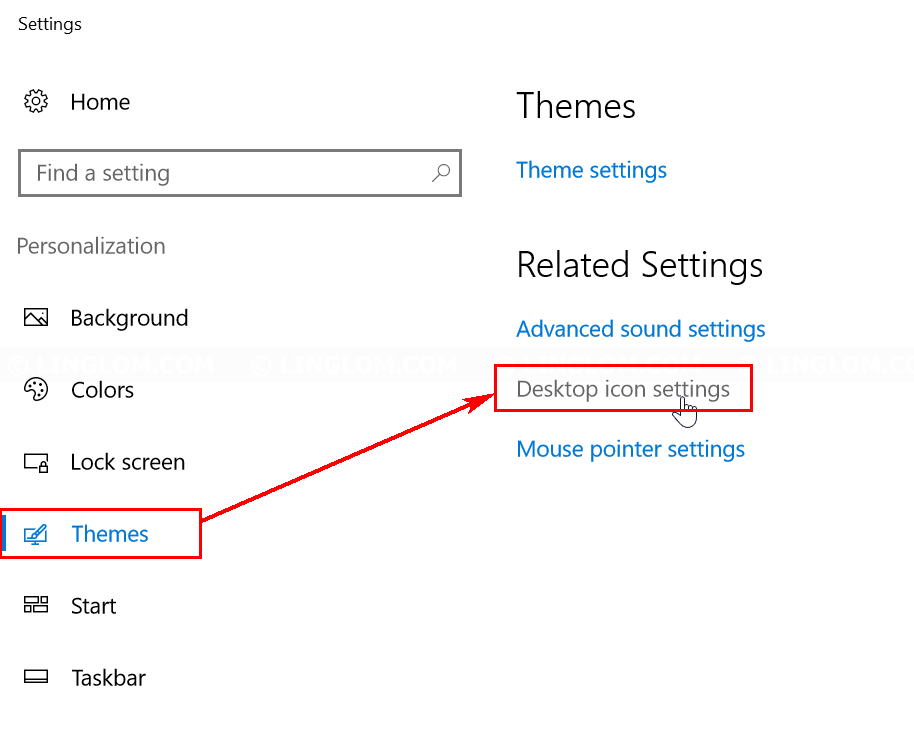
- On Settings, click Themes on the left menu. And select Desktop icon settings on the right.
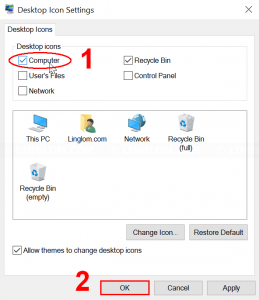
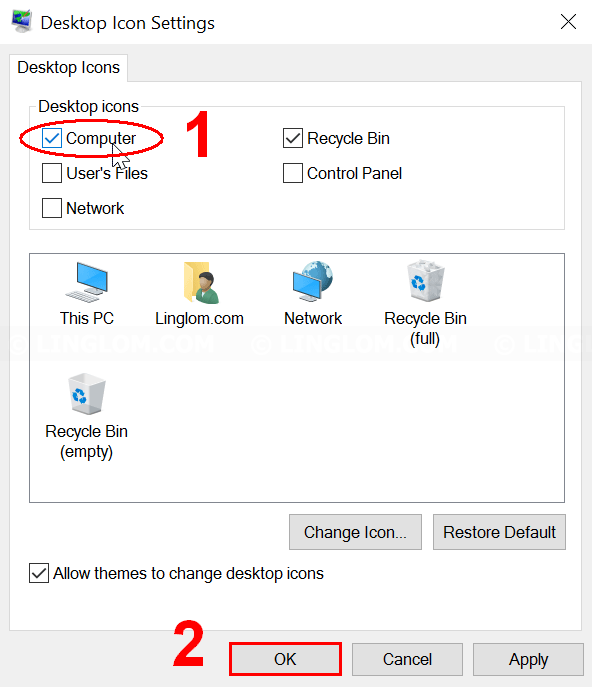
- Select which desktop icons you want and click OK.
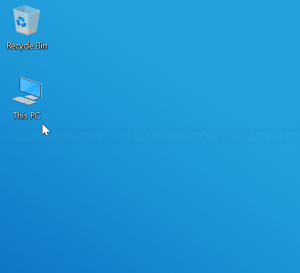
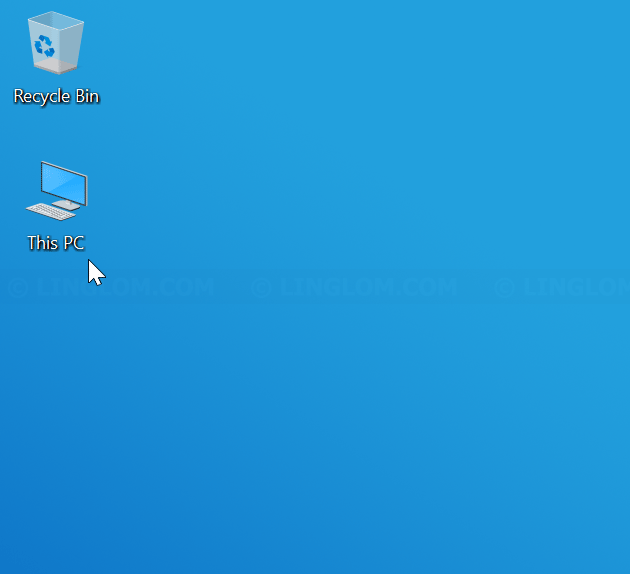
- This PC icon is now displayed on the desktop.
Display My Computer icon on Windows 7 & 8
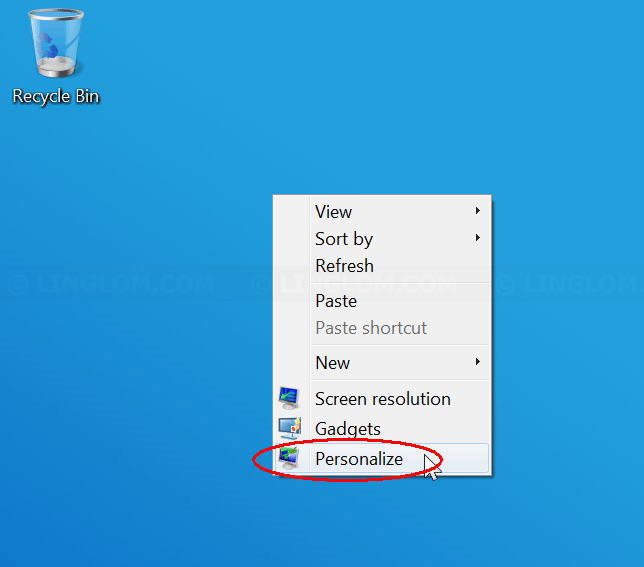
- On Windows desktop, right-click on the desktop and select Personalize.
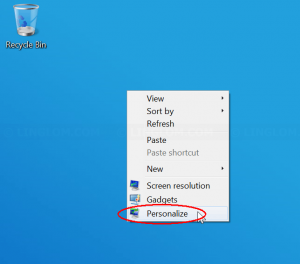
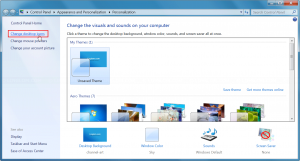
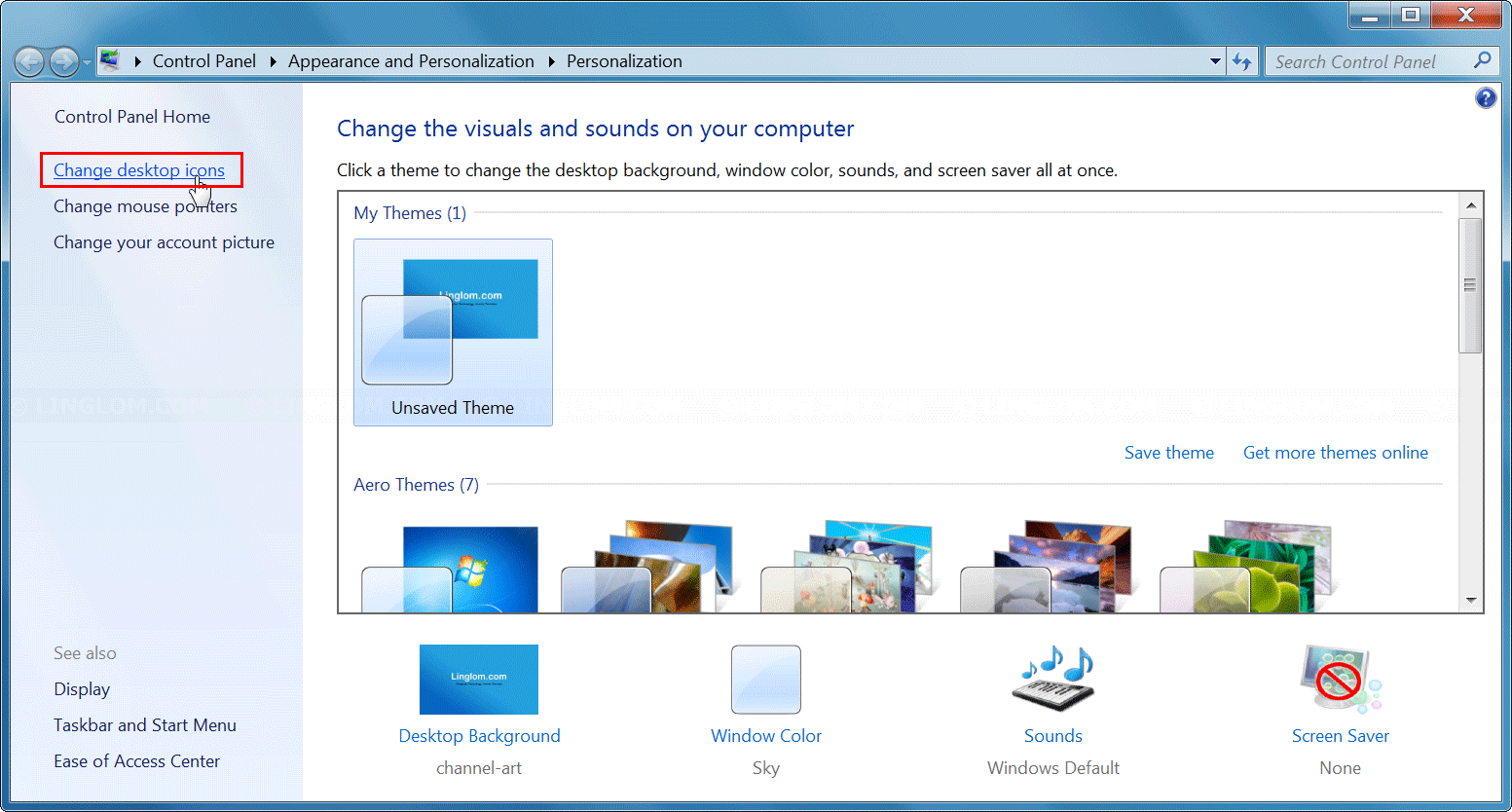
- On Settings, click Change desktop icons on the left menu.
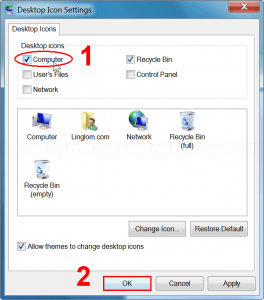
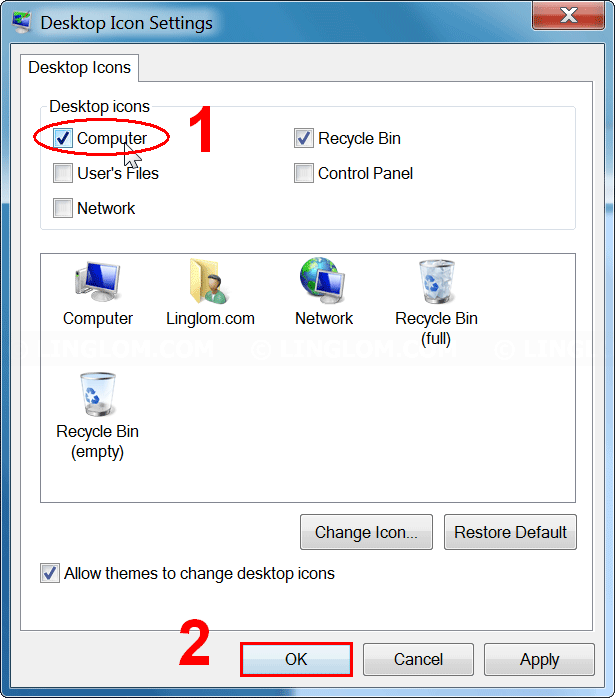
- Select which desktop icons you want and click OK.
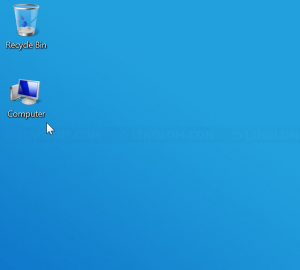
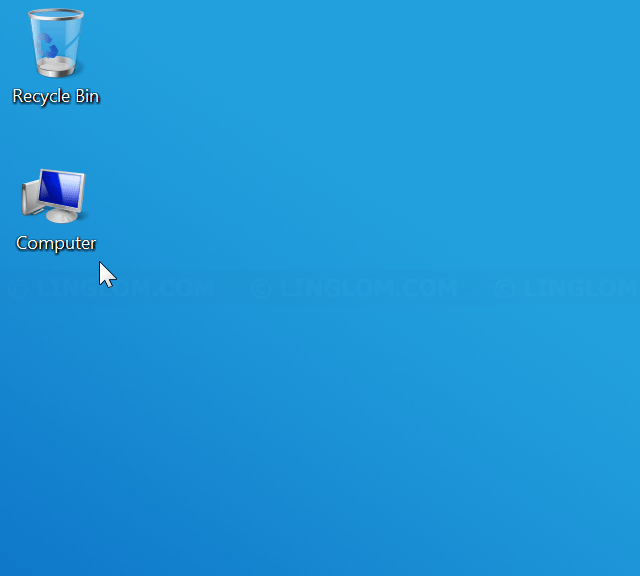
- My Computer icon is now displayed on the desktop.
Delete desktop icon
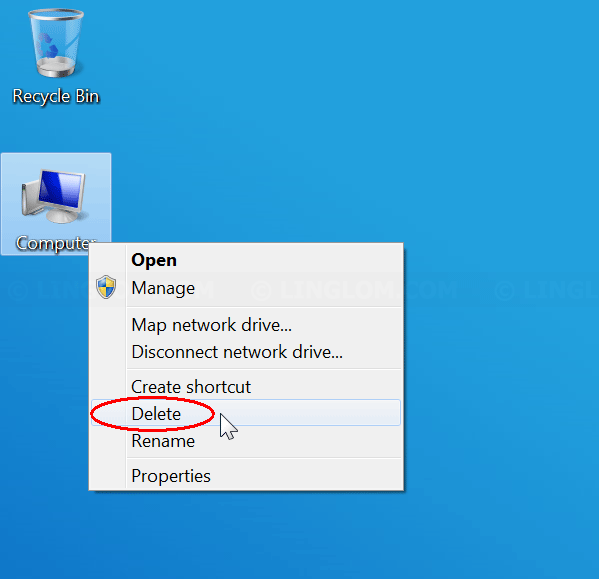
- To delete any desktop icons, right-click it and select Delete.
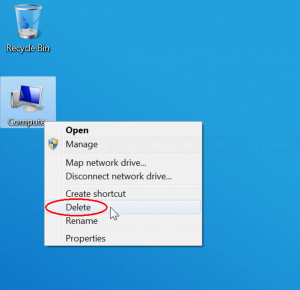
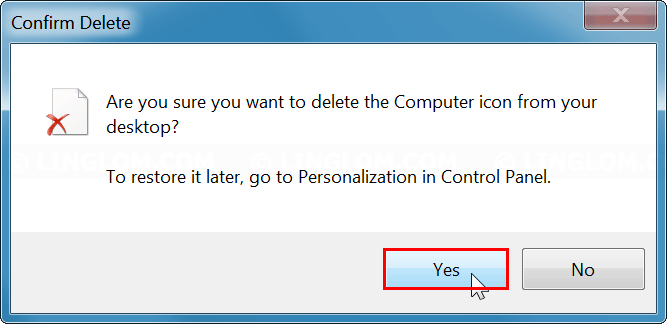
- Click Yes to confirm.