- Accessing MySQL on VB.NET using MySQL Connector/Net, Part 1: Introduction
- Accessing MySQL on VB.NET using MySQL Connector/Net, Part 2: Setup MySQL Server
- Accessing MySQL on VB.NET using MySQL Connector/Net, Part 3: Install Sample Database
- Accessing MySQL on VB.NET using MySQL Connector/Net, Part 4: Create & Grant MySQL User Account
- Accessing MySQL on VB.NET using MySQL Connector/Net, Part 5: Install MySQL Connector Net
- Accessing MySQL on VB.NET using MySQL Connector/Net, Part 6: Create Connection
- Accessing MySQL on VB.NET using MySQL Connector/Net, Part 7: Perform SQL Operations
- Accessing MySQL on VB.NET using MySQL Connector/Net, Part 8: Display Result on GUI
Create Connection
After I have prepared many things for showing how to access MySQL Server using VB.NET. Let’s see what I have done so far. Right now, I have a remote MySQL Server at 192.168.125.21 with port 3306 (Default port). Also, a sample database “world” and a user account “worldUser” with password “worldpassword”. Now it’s time to start Microsoft Visual Studio 2005 on a development PC.
Step-by-step
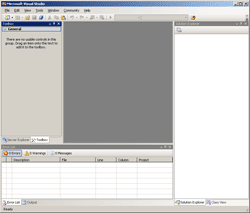
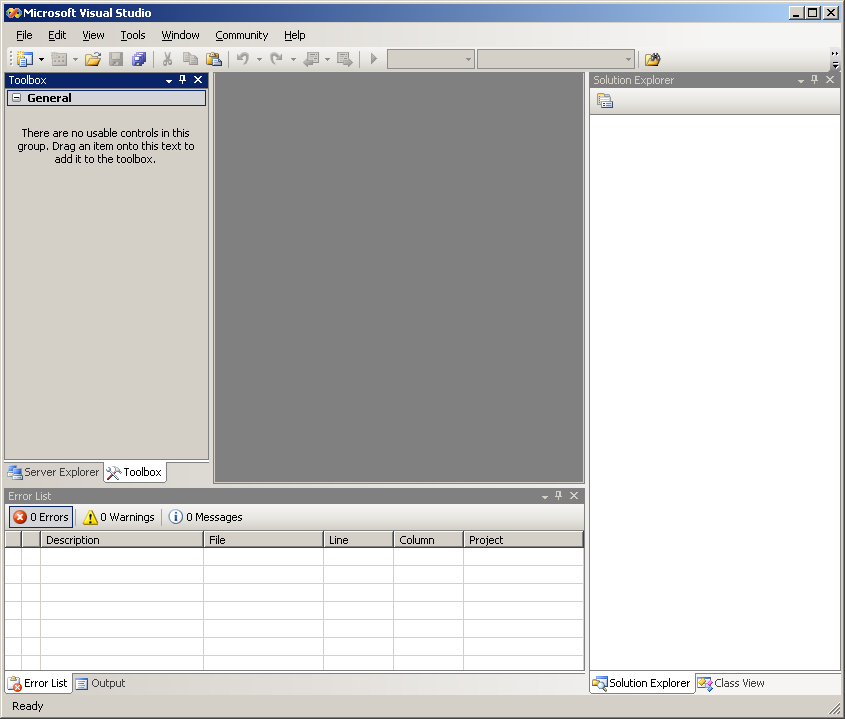
- On Development PC, open Microsoft Visual Studio 2005.
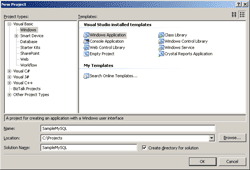
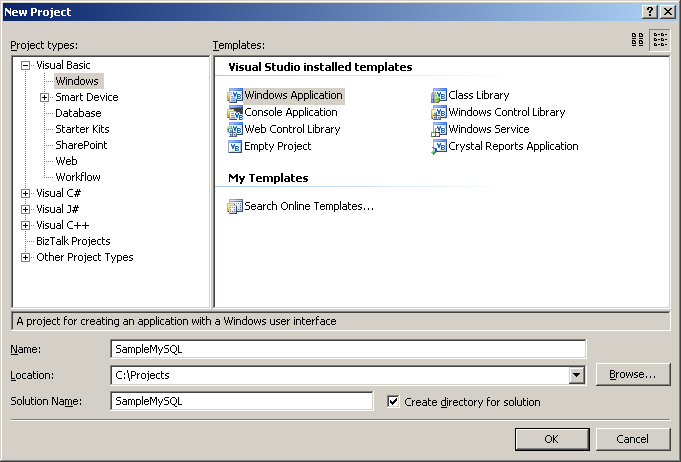
- Create a New Windows Application Project “SampleMySQL”.
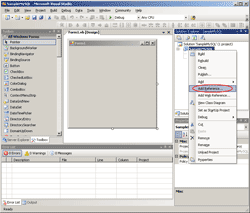
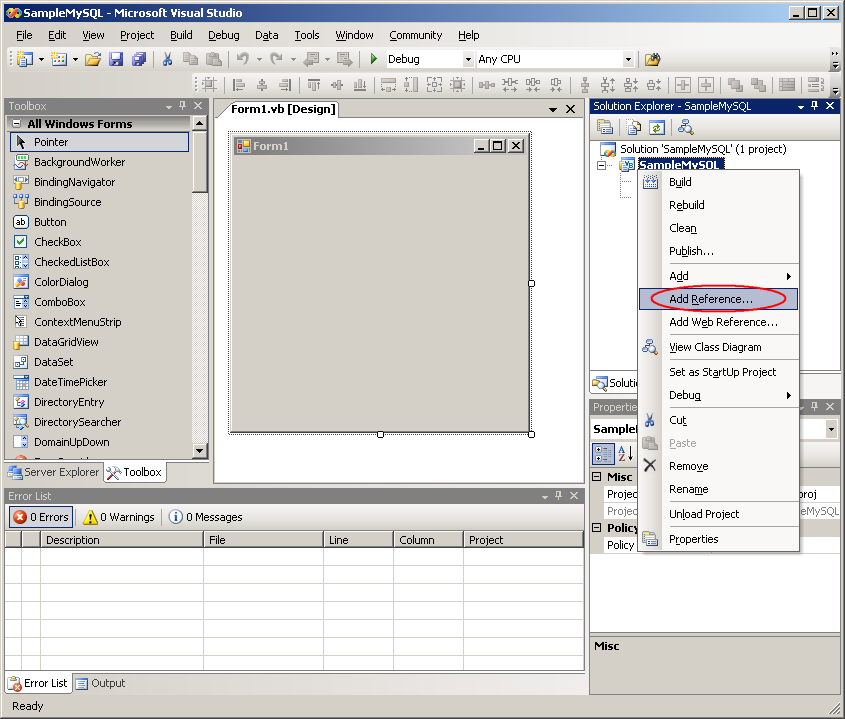
- First, I need to add a MySQL library. Right-click on the project name (SampleMySQL) -> Add Reference.
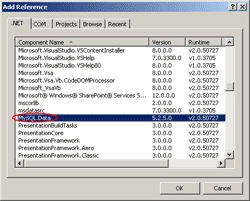
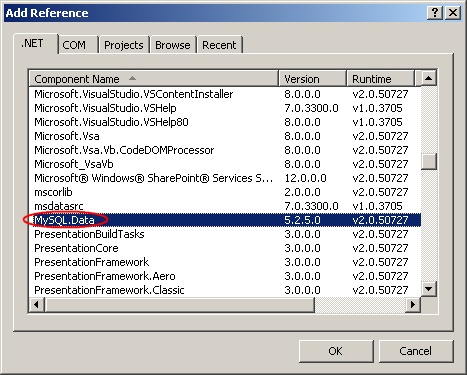
- On Add Reference, select MySQL.Data on .NET tab.
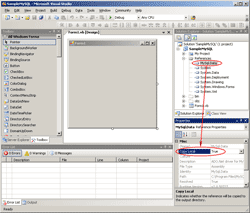
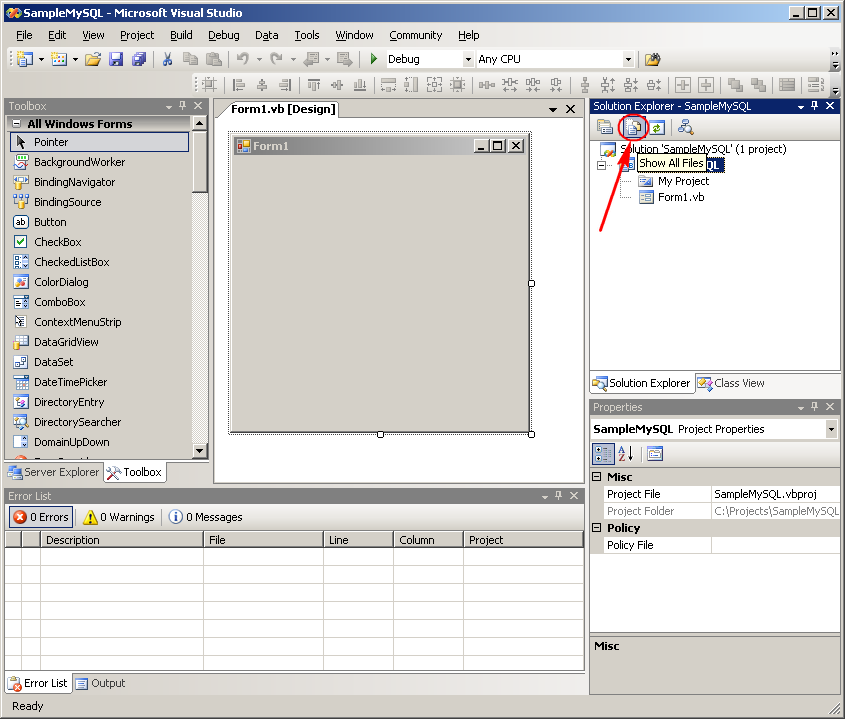
- By default, the reference library (MySQL.Data) won’t be copied to the output directory. That means when you deploy the application on other PC which doesn’t have the library installed, it’ll throw error. So I have to set the Copy Local property of the library file to True. Click Show All Files icon.
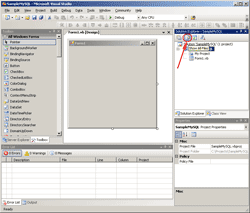
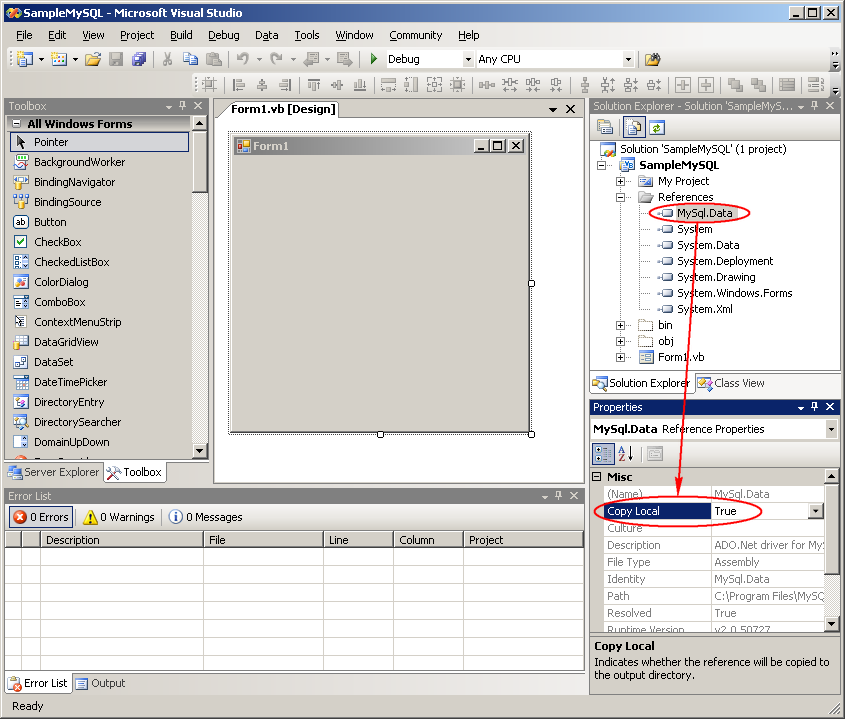
- Expand References -> Select MySQL.Data -> Change Copy Local property to True.
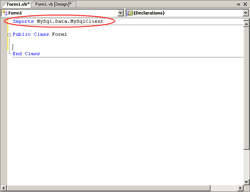
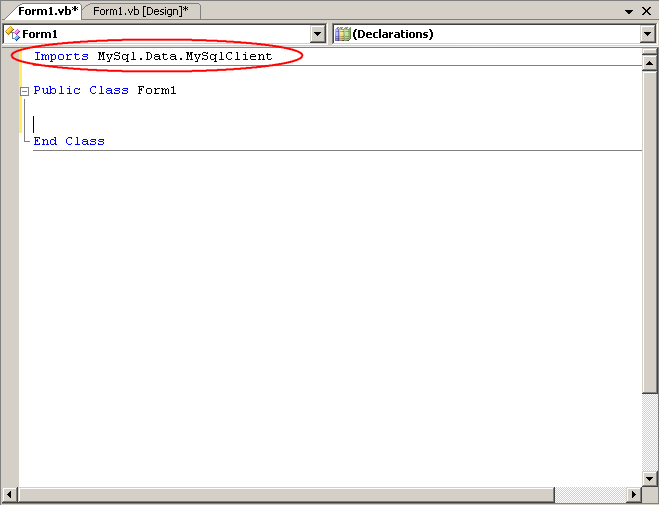
- Now it’s time to coding the application. First, I have to import a namespace. Open the Code View and add this line on the top.
Imports MySql.Data.MySqlClient
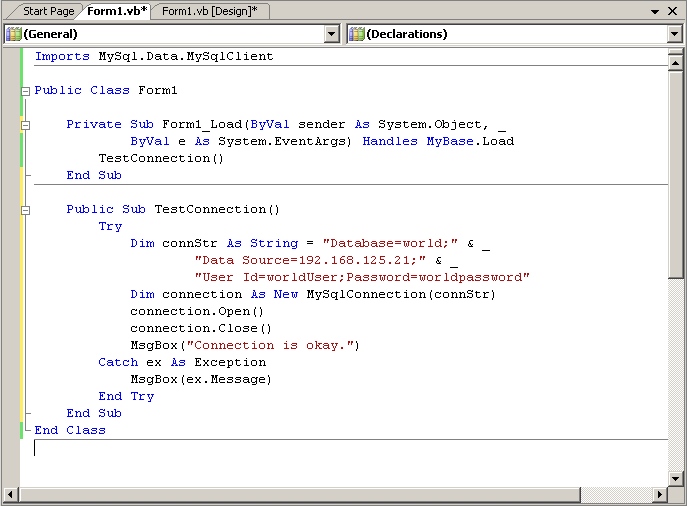
- Add these code to the Class.
1
2
3
4
5
6
7
8
9
10
11
12
13
14
15
16
17
18
    Private Sub Form1_Load(ByVal sender As System.Object, _
            ByVal e As System.EventArgs) Handles MyBase.Load
        TestConnection()
    End Sub

    Public Sub TestConnection()
        Try
            Dim connStr As String = "Database=world;" & _
                    "Data Source=192.168.125.21;" & _
                    "User Id=worldUser;Password=worldpassword"
            Dim connection As New MySqlConnection(connStr)
            connection.Open()
            connection.Close()
            MsgBox("Connection is okay.")
        Catch ex As Exception
            MsgBox(ex.Message)
        End Try
    End Sub
Code Explanation:
- Line 1-4: Simple Form_Load event that call TestConnection() method. The method is invoked when the form is loaded.
- Line: 7-17: Try-Catch scope. If there is any error in try scope, throws exception and goes to catch scope.
- Line: 8-10: A connection string represents configuration for connect to MySQL Server. Common attributes are:
- Database. The database to be used after a connection is opened.
- Data Source. The name of the MySQL server to which to connect.
- Port. The port MySQL is using to listen for connections. The default value is 3306
- User ID. The user that use to connect to the database on MySQL Server
- Password. Password of the user.
- Connection Timeout. Time to wait while trying to establish a connection before terminating the attempt and generating an error.
- Line 11: Create MySqlConnection object and assign connectionString property.
- Line 12-13: Test open and close the connection to the database on MySQL Server.
- Line 14: If there is no error, show a success message.
- Line 16: Show the error message.
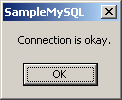
- Next, test the code by run the application. If the connection is successfully connected and disconnected. You’ll see the message “Connection is okay”.
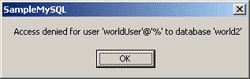
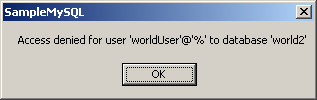
- If something wrongs, you’ll see message other than the previous step. The figure below is the example that mistyped the database name in the connection string.
Hello,
Thanks for the tutorial. It worked great.
Thanks
What i have to do to connect using the ODBC Connector for .NET???
Hi, Fernando
You can use MySQL Connector/Net by follow this topic to connect to MySQL database on .NET application.
Hai Bro,
Thanks for the information….. very helpfull
i have problem, pocket pc proyect
error 1
Es necesaria una referencia al ensamblado ‘System.Data, Version=2.0.0.0, Culture=neutral, PublicKeyToken=b77a5c561934e089’ que contenga la clase base ‘System.Data.Common.DbConnection’. Agregue una al proyecto.
i need help
Hi, Jose Miguel Castillo
Did you follow the example above? The error message tell to add different reference library from my sample above. Try to add the reference System.Data to your project and re-build it again.
Thanks for ur tute.gradefull
i love this site.
hi, im having this error, when trying to access to mysql remote server
Access denied for user ‘root’@’%’ to database ‘myDatase’
– i’m using vb.net express edition 2008
– mysql connector 6.1.3
is there an issue when i have mysql in my development machine where im doing my vb project?
thanks
hi, its ok now… i skipped the first part about GRANT, i re-read chapter 4 and found what i’ve missed
thanks for the tutorials
I must say; this is really a good tutorial! I tried many different ones but this was very well explained.
Regards,
Derek
it works for my application!! Thank u so much =)
Hi, i just want to know how to cnnect MySQL from VB.net2003?
hey
this is a good example . i got connected with vb.net
thanks
anand
Hi
I m getting the following error
Unable to connect to any of the specified MySQL Hosts
plz help me resolve this issue
I used your code same as it is and also for my own server, i have also accessed the same database by PHP but now required to do the same in vb .NET
Hoping to get solution from ur side!!!
I m using a hosting service, where i have no access to root directory.
and MySQL is installed at Linux while im trying to remotly access it from OS of windows XP.
Please guide me to access MySQL remotely, in all described scenario!!!!
Hi, Saqib
You should contact your hosting support. Normally, most hosting service provides control panel for user to manage MySQL database.
yes i have access to control panel and i have used wild card to allow to connect from IPs. and now i realize that even the PHP code is also not connecting from my home PC. so would you please guide me that what should i do???
Hi.
this is a great tutorial but i’m having problem.
i don’t know how to get the ip address of the mysql host.
i’m using free hosting service and they have not replied me.
so i need your help here. is it not possible to use the sql host name? or is there any way to get the ip from the host name?
Hi, Horison
It depends on each hosting provider. You should try contact them again.
Hello! akdkkdf interesting akdkkdf site! I’m really like it! Very, very akdkkdf good!
Very nice site!
for those who got Unable to connect to any of the specified MySQL Hosts ERRORS:
Double Check this:
1.Database
2.Datasource
1. It may be that you mistype your database. check it again!
2. try using local host instead of an ip address or go to
Start>Search Box>Type ‘host’
There will be a host file and then open it with a notepad
Then copy the ip address.
Thank you very much!
LingLom, you are very kind. Thanks for this tutorial its great. I have however just one problem. My hosting site uses port 3364. Even though I place ‘Port=3364;’ in the connection string, VS 2005 doesn’t recognise it and keeps defaulting to 3306. Is there any other idea you may have how i can rectify this difficult situation?
Many thanks
Eddy
Perfect and very well written. Thanks!
To Eddy Jawed:
Using different ports.
The command is “Port=the port u want;”
e.x
Dim connStr As String = “Database=mydb;” & _
“Data Source=myhostname;” & _
“Port=”3364;” & _
“User Id=myid;Password=mypass”
thanks….
but….
i’ve an error message… saying….
” unable to connect to any of the specified MySQL hosts.
i’ve replace the given ip address by the ip adress of the machine where located the database…..
and replace the username=root and password= nothing..
please help
i’m using
WAMP SERVER
When i’m browsing the WAMP SERVER…..
typing the ip address of the machince where it installed
to the computer without it ,,,, it’s work it can access it….
but the problem is…..
when try to connect using vb.net….
i’ve got an ERROR unable to connect…..
Hi Makis,
Thanks for your input. Unfortunately I have tried exactly this with no luck 🙁
Thanks for the detailed explainations. Worked great!
Great tut! got me there in under 15 minutes!
Great stuff, works without any issue.
…I try the connection,..that’s great!..
my visual basic 2008 has no idea what a filestream is.
Hi Sir!
when I don’t include port in my connection string msgbox for error in connecting database pop up. but when I put the port in connection string I got this error.. can u help me sir thanks
“A connection attempt failed because the connected party did not properly respond after a period of time, or established connection failed because connected host has failed to respond”
Superb example. This was quick and to the point!
I appreciate the help.
Thanks a lot for this, works great, I realy appreciate your post.
how to find the ip address in windows 8???
thanks in advance….
Any one please help me how to deploy the vb.net application(2008) with MySQL server5.6 database
please anyone help me as fast as you can……………..
Thank U in Advance…………………..